

Call and Text from AgencyZoom
Start conversations in AgencyZoom or Lightspeed Voice, keep contact history connected, and add NOVA summaries and sentiment after calls.
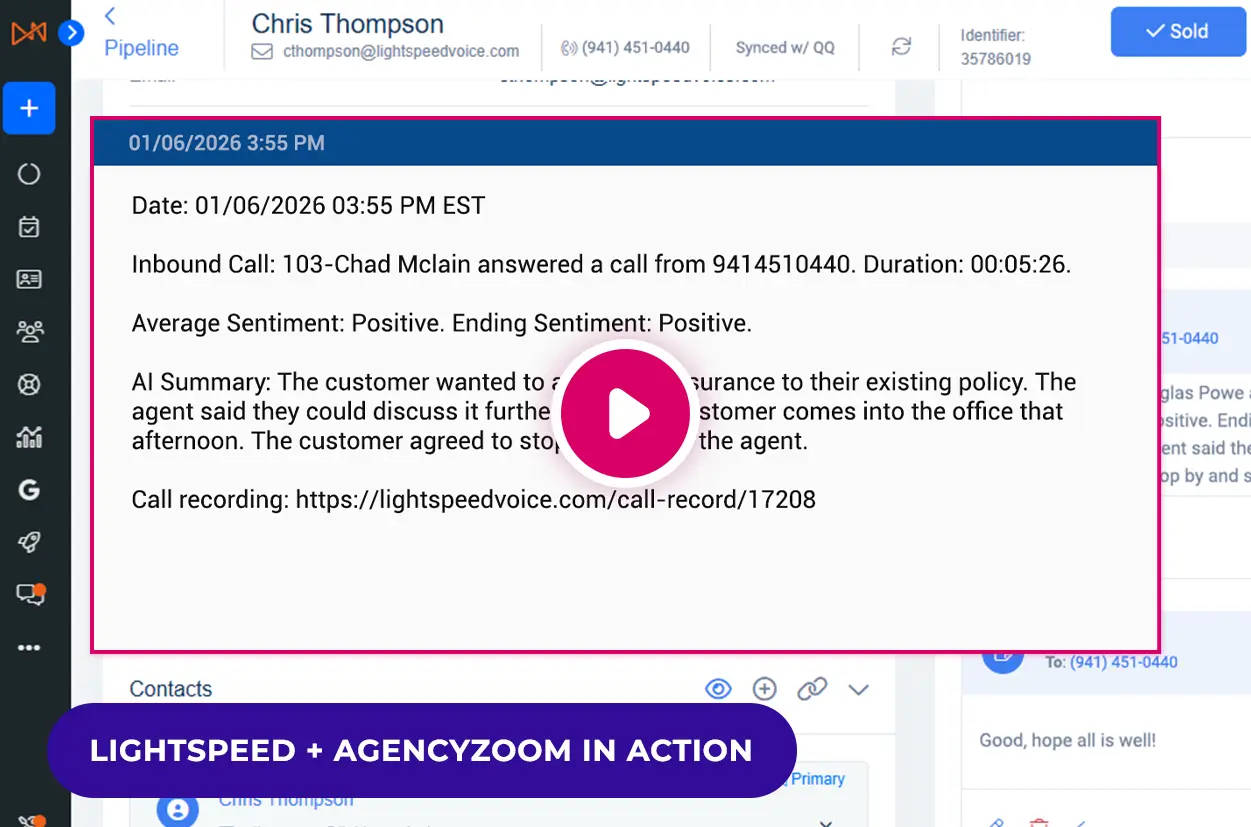
- Start calls and send texts from either platform
- Keep call details and recording links in contact history
- Add NOVA summaries and sentiment after processing

How the AgencyZoom Phone Integration Works
NOVA AI + AgencyZoom
Bring Call Details Into AgencyZoom Contact History
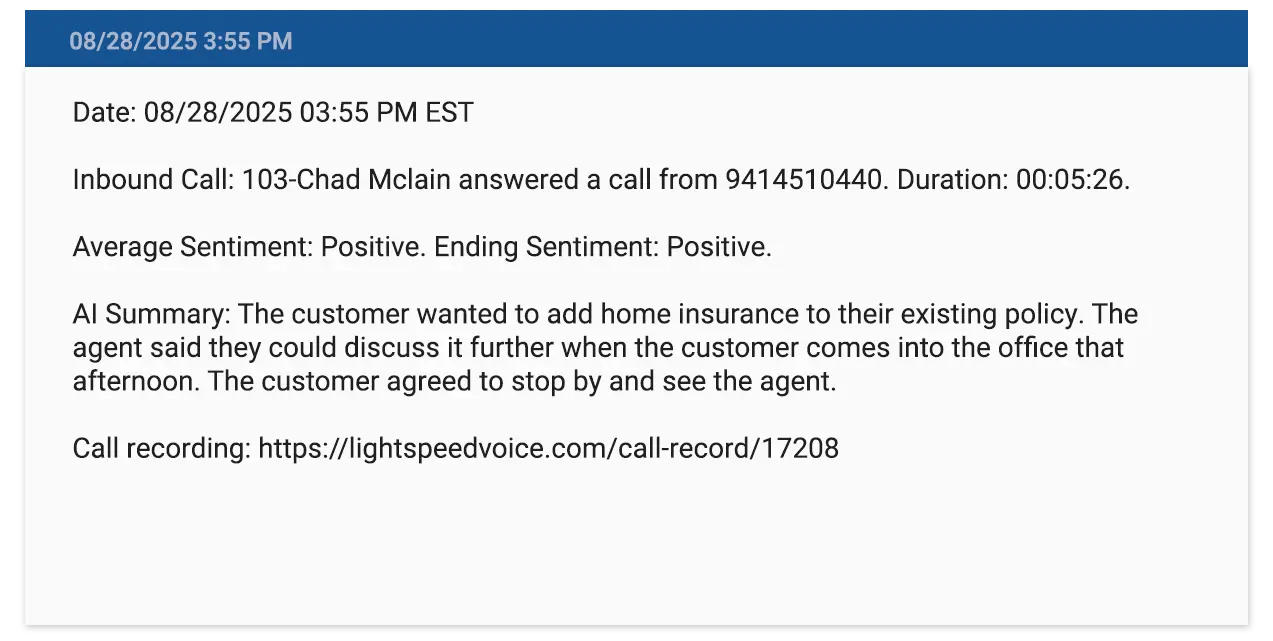
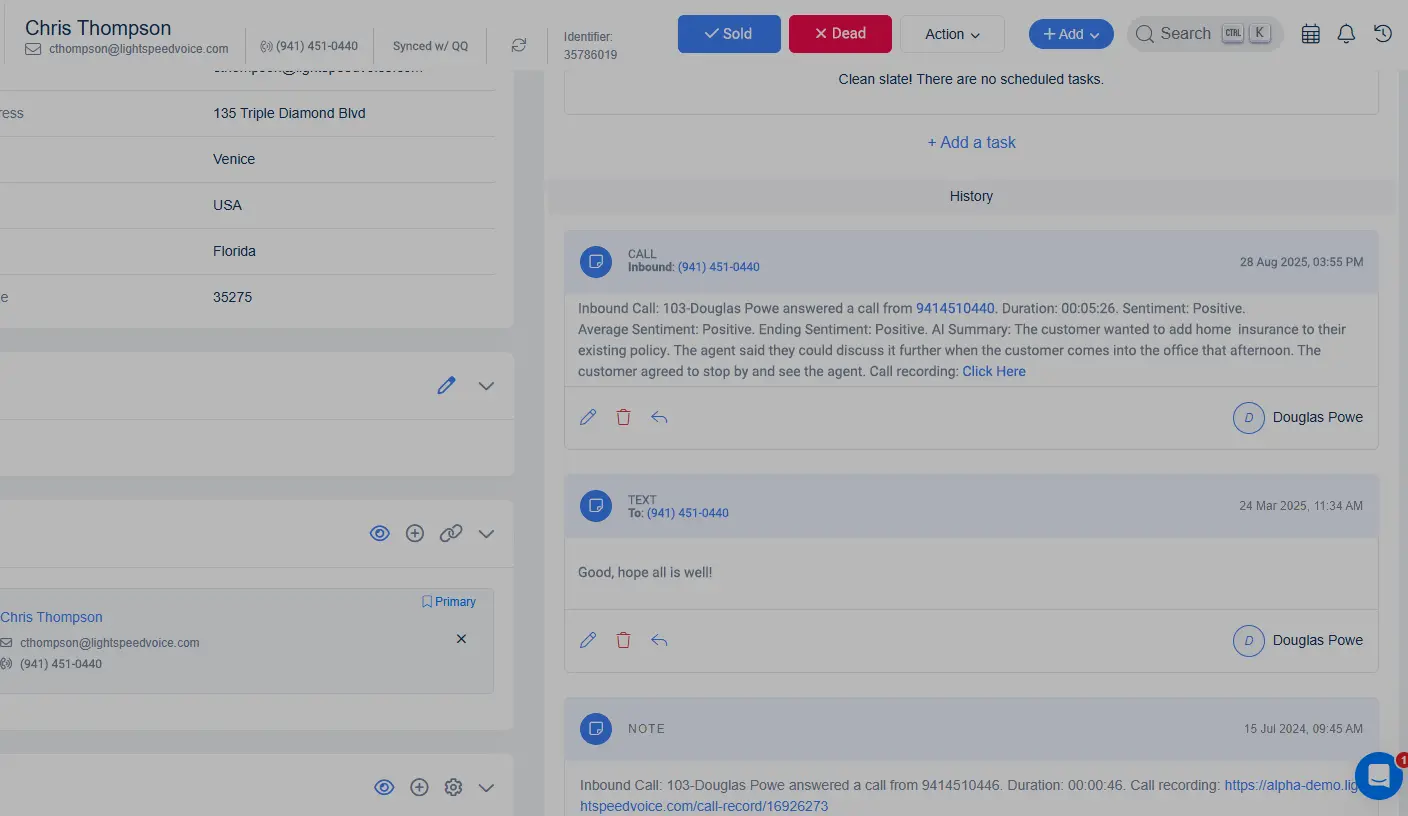
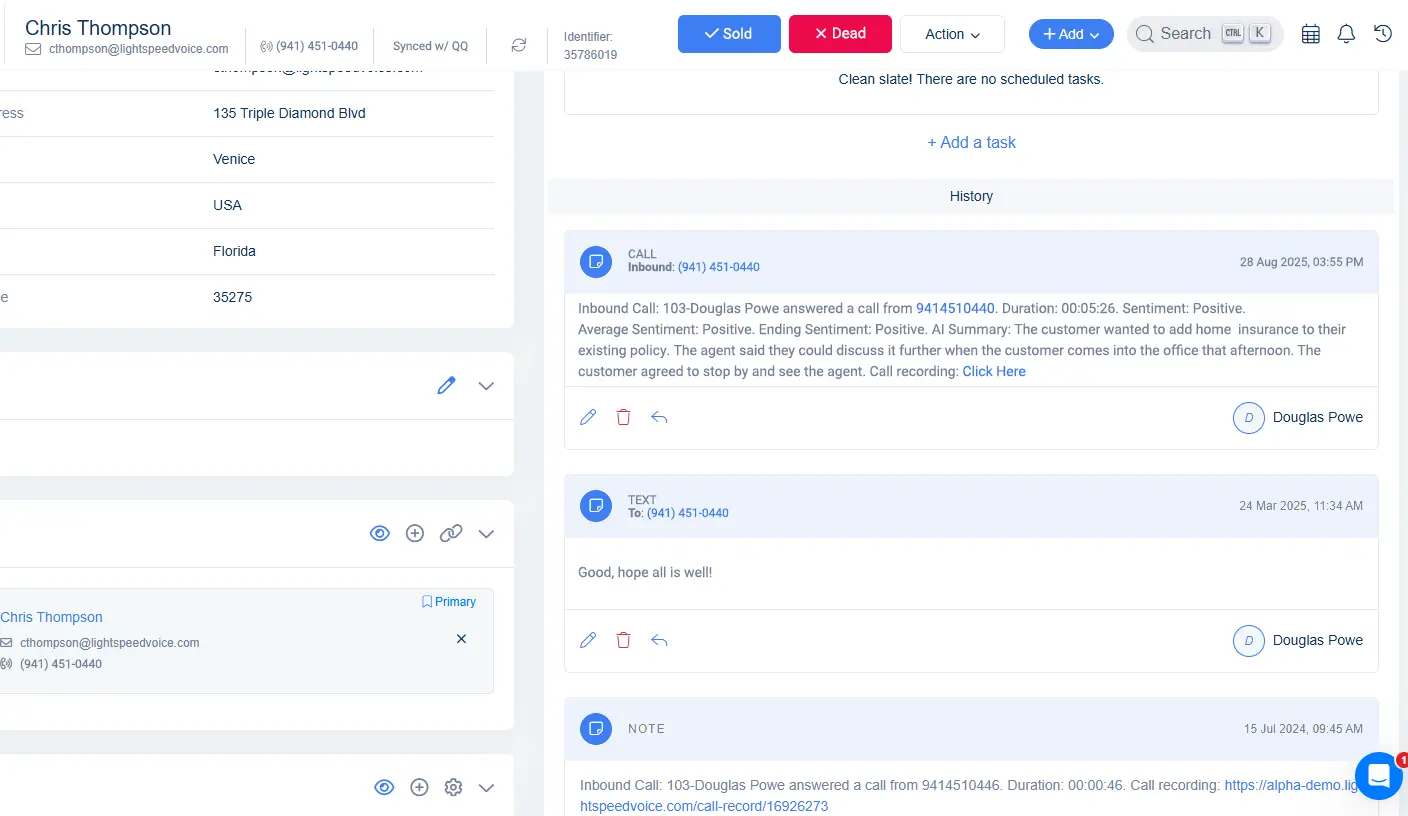
- Call details sync automatically with the relevant triggers configured.
- NOVA summaries and sentiment sync after processing completes.
- Open recording links according to Lightspeed Voice permissions.

AgencyZoom integration at a glance
See how client calls and communication history connect.
Capability | Availability | How it works |
|---|---|---|
Calls and texts from either platform | ✓ Supported | Start calls and send texts in AgencyZoom or Lightspeed Voice with the two-way connection authorized. |
Client record call pops | ✓ Supported | Open the matched AgencyZoom client record when a call is answered. |
Automatic call notes | ✓ Supported | Sync call details to the matched contact's history. |
Recording links | ✓ Supported | Keep a permission-controlled recording link with the call details. |
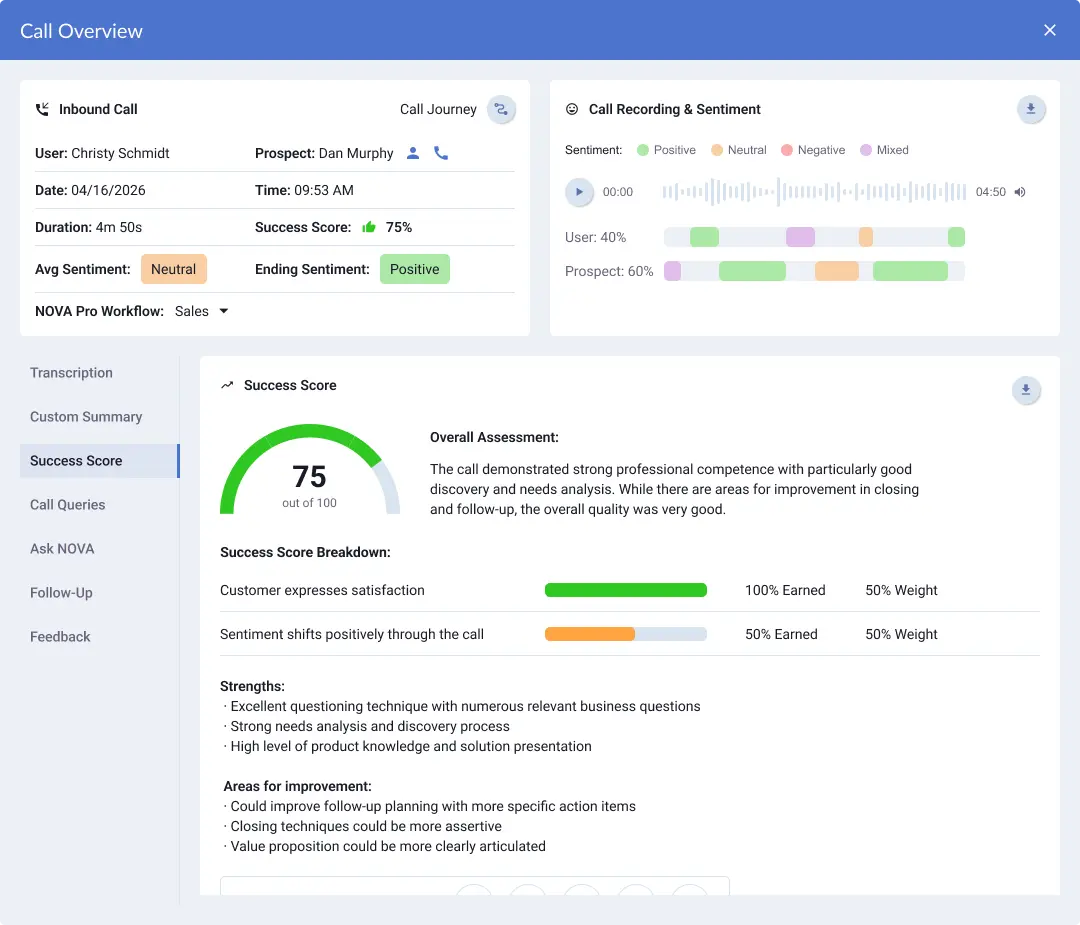
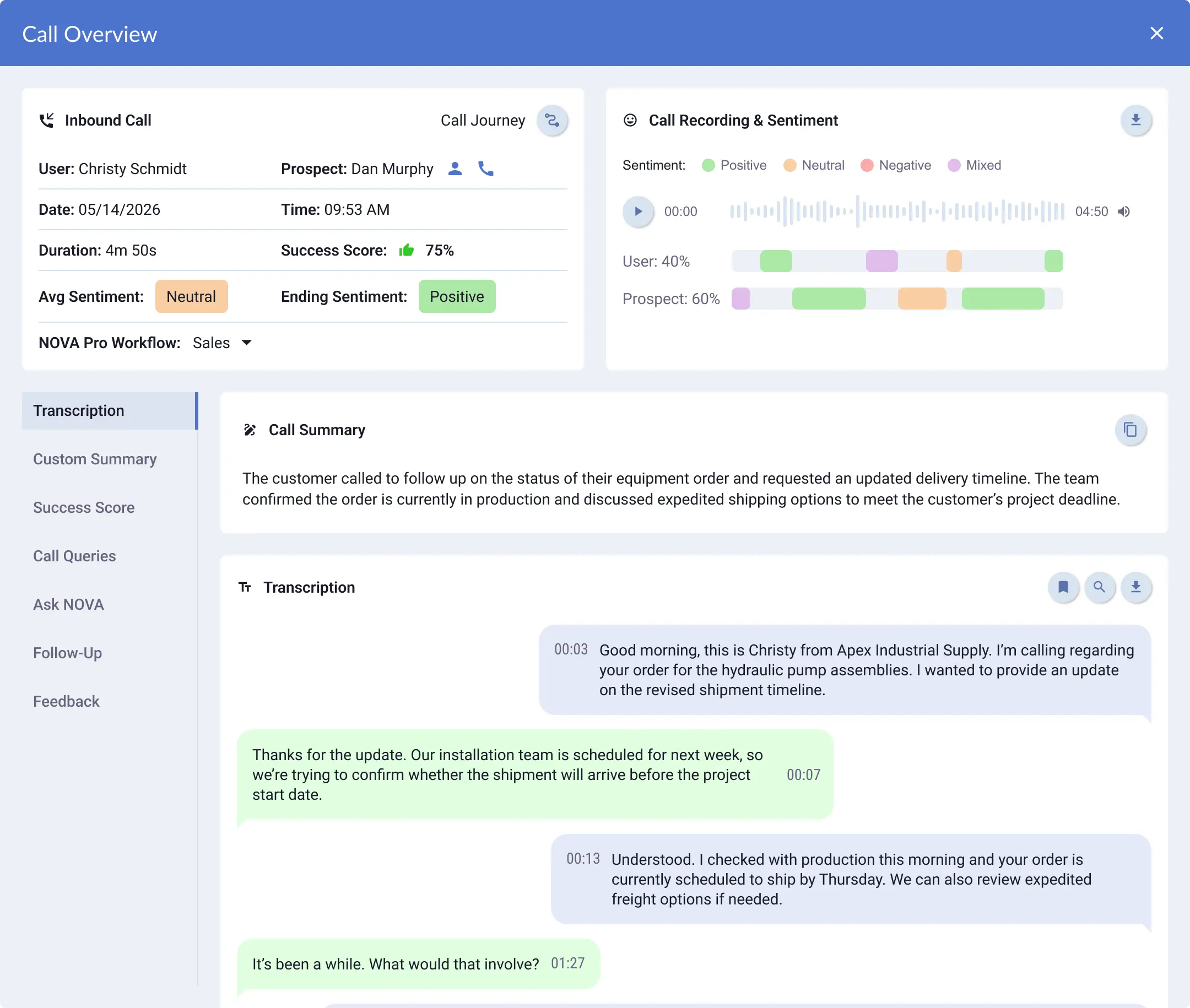
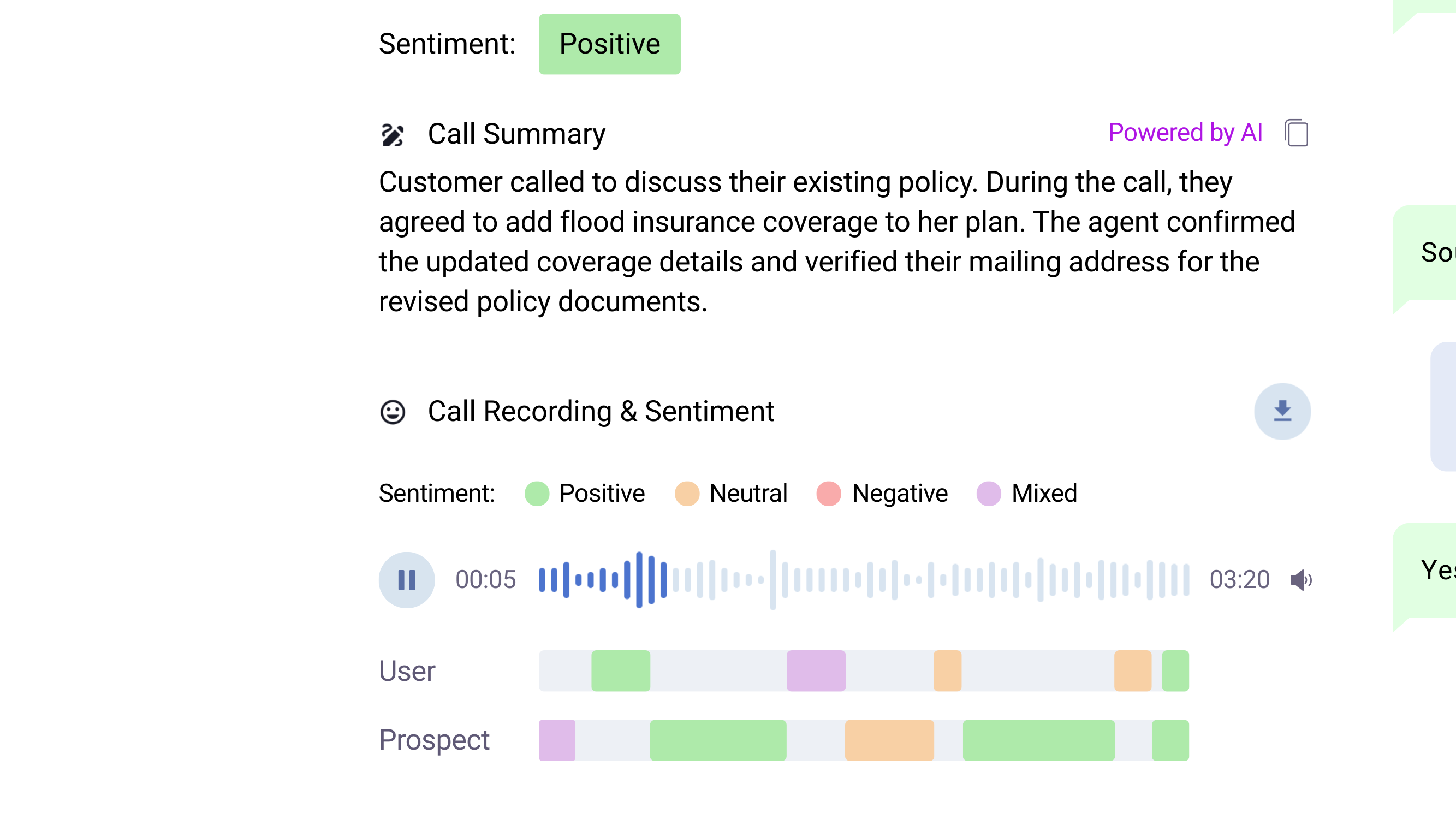
AI summaries & sentiment | ✧ Requires NOVA | Add summaries and sentiment after post-call processing completes. |
Text message activity | ✓ Supported | Sync sent and received Lightspeed Voice Messenger messages. |
Email activity | ✓ Supported | Keep supported sent and received email activity with the client. |
Recording access follows user permissions. NOVA insights sync after processing.
"The AgencyZoom and QQ integrations make saving calls simple, help protect our data and clients, and are backed by quick, reliable customer service."


"After using Lightspeed since 2017, we're still impressed. The AgencyZoom integration saves time, keeps us organized, and continues to improve every year."


"The AgencyZoom integration saves our producers and CSRs hours every week while making call documentation and recordings effortless to access."


Explore NOVA and NOVA Pro
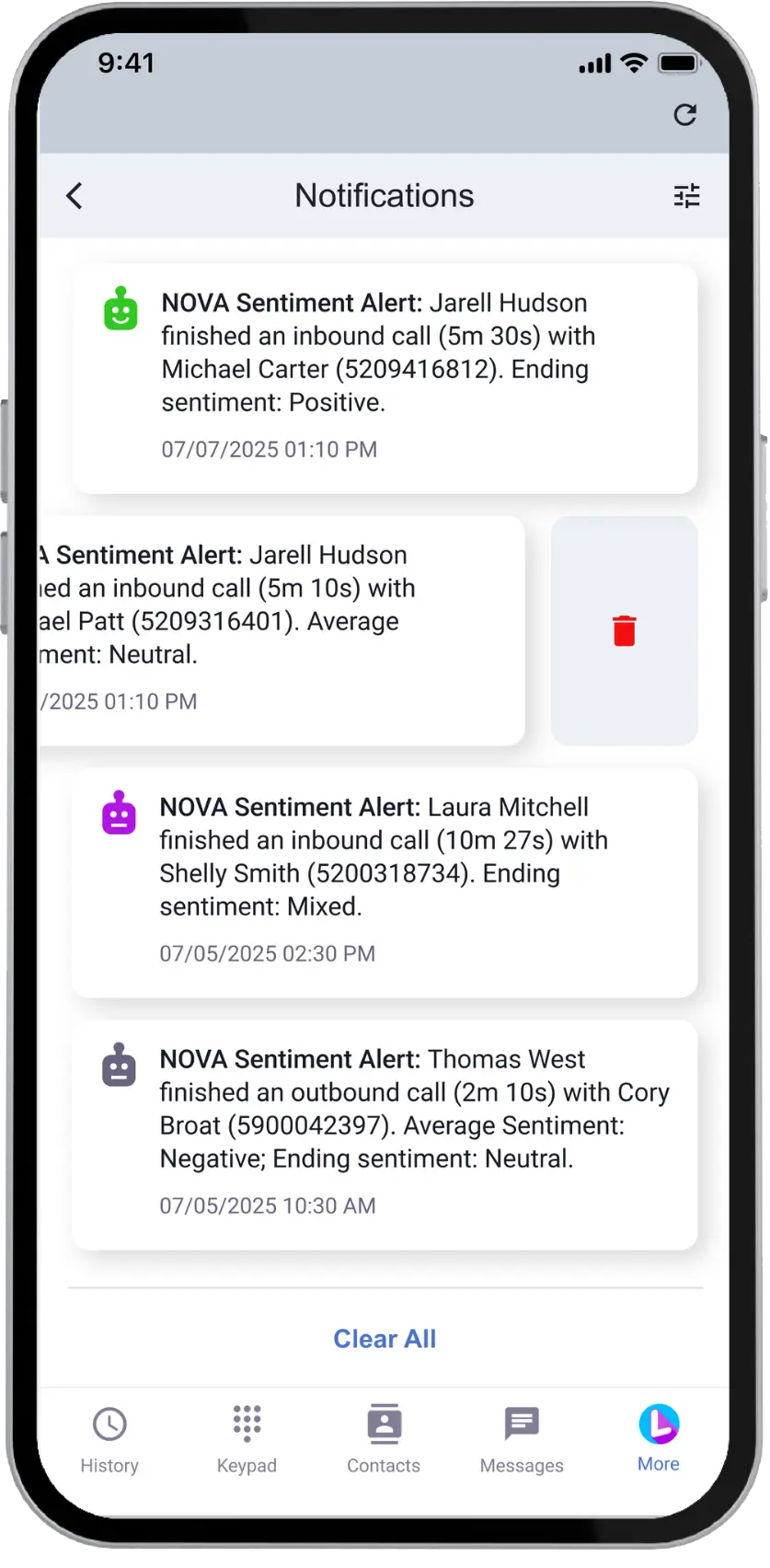
Review calls in Lightspeed Voice with NOVA and NOVA Pro. NOVA summaries and sentiment sync to AgencyZoom after processing.


Stay Ahead with Sentiment Insights

See Who Needs
Follow Up

Know When Clients
Are Frustrated
Get connected to AgencyZoom
Our team helps your agency configure the connection and get started.
Connect your users
Keep Orbit current, create the AgencyZoom integration in Lightspeed Voice, assign users, and authenticate your AgencyZoom account.
Authorize calls and texts
In AgencyZoom, open My Agency > Integrations > Text & VoIP. Choose Lightspeed Voice, then Connect and Authorize.
Choose your settings
Choose call-pop preferences and the communication and NOVA triggers your team needs.
Ready to set up your integration?
Follow our AgencyZoom integration setup guide.
Why Agencies Choose Lightspeed Voice

#1 Rated Phone Service

Award-Winning NOVA AI

98% Customer Satisfaction

4.9 Star Google Rating
FAQs
Lightspeed Voice and AgencyZoom
Can I make calls and send texts from AgencyZoom?
Yes. With the two-way connection authorized, you can start calls and send texts from AgencyZoom or Lightspeed Voice. Calls use Lightspeed Voice, and messages composed in AgencyZoom also appear in Lightspeed Voice Messenger. Communication details stay connected to the matched contact.
How do AgencyZoom call pops work?
Orbit matches the call's phone number to a stored contact or lead and opens that record when the call is answered. Choose inbound, outbound, all, or no call pops in Orbit. A matching stored phone number is required.
Where do call details and NOVA insights appear?
Call details and recording links appear in the matched contact or lead's history in AgencyZoom. With NOVA enabled, summaries and sentiment accompany the call details after post-call processing completes. Supported Messenger text messages and email activity can also sync to the contact.
Do I need NOVA Pro for summaries and sentiment?
NOVA is required for AI summaries and sentiment. These insights sync after the call ends and processing completes, with the relevant integration triggers configured. NOVA Pro is not required for summaries and sentiment.
Who can access recording links in AgencyZoom?
Recording access follows Lightspeed Voice permissions. Users can access their own recordings; access to other users' recordings requires the appropriate administrative permissions.
How do we enable the AgencyZoom integration?
Keep Orbit current, create the AgencyZoom integration in Lightspeed Voice, assign users, and authenticate your AgencyZoom account. For calls and texts from either platform, open My Agency > Integrations > Text & VoIP in AgencyZoom, select Lightspeed Voice, and choose Connect and Authorize. Configure call-pop preferences and the relevant communication and NOVA triggers.
View our official AgencyZoom integration page →
See Lightspeed Voice and AgencyZoom in Action
See calls, texts, contact history, and NOVA insights working together. Schedule a demo tailored to your agency.
- Live walkthrough of the Lightspeed Voice and AgencyZoom workflow.


