

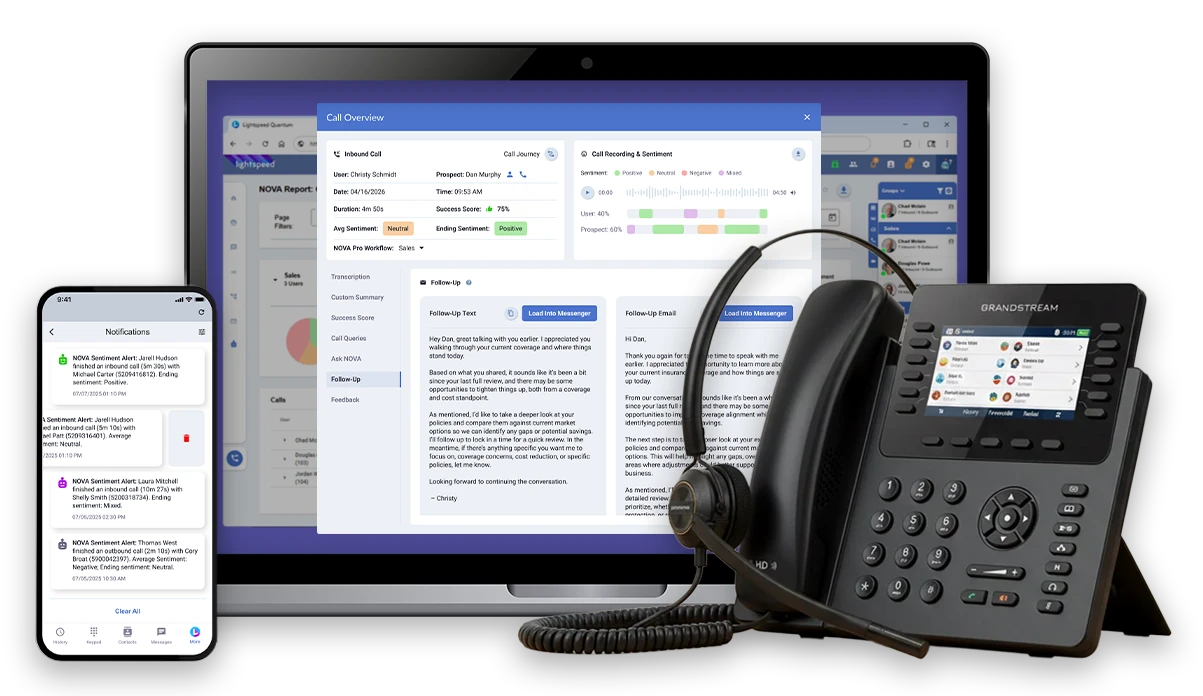

Improved
Control
Managing and monitoring staff is easier with employee productivity and performance tracking.
Greater
Connection
Work anywhere with internet. Connect locations, departments and employees with a unified platform, mobile app, and location agnostic handsets.
Advanced
Intelligence
Intelligent tracking of customer satisfaction with statistics and analytics. Integrates with CRMs and other 3rd party software.
Increased
Reliability
Geographically dispersed data centers and call forwarding means your clients can always reach you.

Beyond Phones!
Fully Featured Communications Platform
Greater Connection


Keep your teams and locations connected with a reliable, unified system, calls that follow you to any device, mobile apps and customized ring strategies.
Call Magnet
Have the freedom to roam while still being connected to the office by forwarding your calls to a specified destination.
Integrations
Check out our ever-growing list of companies we integrate with and how we’ve integrated with them to make using Lightspeed Voice as your phone provider as seamless as possible with your favorite CRMs.
Toll Free Calls
Keep costs down with toll free service, include with Lightspeed Connect!
Integrated Employee Time Clock
Let clients call the right people directly with no menus, queues or complicated extension trees.
Multi Location
Setup your teams with location specific numbers so outbound calls show the nearest office, and inbound calls go back to the office their call originated from.
Work Remote
Connect your team wirelessly and stay productive, even when they’re out of the office!
HIgher Intelligence


Manage your client experience with insights from detailed reports and call recording and live coach staff on their calls to ensure the best customer service.
Call Recording
Call recording can be enabled and disabled per extension, phone number, and server, and recordings will be available for listening and downloading.
Detailed Reports
Call reports can be run for individuals, offices, queues, and many more targets, the reports will contain details like total calls, missed calls, averages for ring times, queue wait times, and call durations.
Mobile Friendly
Access your service from your mobile devices and you can make and take calls as if you were in the office.
Voicemail Transcription
Receive easy-to-read transcriptions of voicemails to stay on top of your client needs!
Custom Call Routing
Control where calls go at all times so your clients connect with the right people, everytime.
MMS Texting
Include multimedia content in your texts to better help clarify client problems!
User Status
Let people know when you’re out to lunch or out of the office with a user status!
Superior Support


Always find the help you need with our industry leading customer support teams based in the US and 3rd party integrations with your favorite software.
Amazing Support
Our tech team is graded in real-time and consistently achieves over 99% satisfaction and our Google reviews speak for themselves.
Integrations
Check out our ever-growing list of companies we integrate with and how we’ve integrated with them to make using Lightspeed Voice as your phone provider as seamless as possible with your favorite CRMs.
Live Coaching
Listen and whisper allows team members with permission to coach other team members and provide input while they are on the phone.
Compliant Features
Solutions can be catered to your organization, association, or network to comply with any guidelines in place.
Live Call Monitoring
Coach your team on live calls to help solve client needs, all without your clients knowing.
US-Based Sales & Support
Our dedicated sales and support teams are based in the US and are 100% focused on you!
Manage staff and tailor your customer experience with intelligent call routing, auto scheduling, an internal time clock, and on hold music.

Auto Scheduling
Set your open hours once and know that your office will forward and un-forward automatically.

Health Redirect
Provides advanced monitoring to determine if your offices may be experiencing a power or network service interruption and automatically redirects to a pre-determined location or number that you can configure.

Live Call Stats and Details
See at a glance your team's inbound and outbound call totals and who they’re currently on the phone with.

Secure Access
Combining our identity management features with customizable systems access makes sure your valuable data stays safe.

Drag and Drop Call Transfers
Transfer calls easily with drag and drop call transfers to speed up workflow and customer service.

Integrated Employee Time Clock
Make it easier for your team to keep track of their time with our integrated time clock Time Cop!

Music on Hold
With your provided music files we can play music on hold for your queues, ring groups, and even different music for different offices.

Time Cop
Time cop is a time management system that allows your team to clock in and out using their phone.
Keep your teams and locations connected with a reliable, unified system, calls that follow you to any device, mobile apps and customized ring strategies.
Call Magnet
Have the freedom to roam while still being connected to the office by forwarding your calls to a specified destination.
Integrations
Check out our ever-growing list of companies we integrate with and how we’ve integrated with them to make using Lightspeed Voice as your phone provider as seamless as possible with your favorite CRMs.

Toll Free Calls
Keep costs down with toll free service, included with Lightspeed Connect!
Direct Inbound Dial Numbers
Let clients call the right people directly with no menus, queues or complicated extension trees.
Multi Location
Set up your teams with location specific numbers so outbound calls show the nearest office, and inbound calls go back to the office their call originated from.
Work Remote
Connect your team wirelessly and stay productive, even when they’re out of the office!
Manage your client experience with insights from detailed reports and call recordings that allow you to coach your staff in real time to ensure the best customer service.

Call Recording
Call recording can be enabled and disabled per extension, phone number, and server, and recordings will be available for listening and downloading.

Detailed Reports
Call reports can be run for individuals, offices, queues, and many more targets, the reports will contain details like total calls, missed calls, averages for ring times, queue wait times, and call durations.
Mobile Friendly
Access your service from your mobile devices and you can make and take calls as if you were in the office.
Custom Call Routing
Control where calls go at all times so your clients connect with the right people, every time.
MMS Texting
Include multimedia content in your texts to better help clarify client problems!
User Status
Let people know when you’re out to lunch or out of the office with a user status!
Voicemail Transcription
Receive easy-to-read transcriptions of voicemails to stay on top of your client needs!
Always find the help you need with our industry leading customer support teams based in the US and 3rd party integrations with your favorite software.
Amazing Support
Our tech team is graded in real-time, consistently achieving over 99% satisfaction, and our Google reviews speak for themselves.
Integrations
Check out our ever-growing list of companies we integrate with and how we’ve integrated with them to make using Lightspeed Voice as your phone provider as seamless as possible with your favorite CRMs.
Live Coaching
Listen and whisper allows team members with permission to coach other team members and provide input while they are on the phone.
Compliant Features
Solutions can be catered to your organization, association, or network to comply with any guidelines in place.
Live Call Monitoring
Coach your team on live calls to help solve client needs, all without your clients knowing.
US-Based Sales & Support
Our dedicated sales and support teams are based in the US and are 100% focused on you!
Our AI-powered tools (NOVA) streamline your workflow, AUTOMATE routine tasks, and ensure you spend more time on what truly matters — growing your business!

Call Transcription
Convert spoken conversations into text, which enables quick reference, easy searchability, and seamless integration. PII redaction ensures compliance.

Call Sentiment Anaylsis
Detect the tone expressed during customer interactions. Swiftly pinpoint negative sentiments, mitigate risks, and strengthen customer relationships.

Smart Summary
Highlight key points and action items, allowing you to grasp the essence of a call. This ensures that nothing important gets overlooked and improves follow-up.
AMS/CRM Automation
Merge customer data with AI insights. Streamline workflows by automatically updating customer records with call summary and sentiment analysis.
Launch your software into the future!
Bring your existing software into the future with our useful API integrations.
Ready to upgrade your business communications?
Get a modern communication and automation platform built to keep your team connected and moving!
FAQs
What is the “Cloud”?
Cloud-based services run on hosted servers and are accessed over an internet connection. A cloud phone system lets your team use business calling features across compatible devices and locations.
How reliable is VoIP?
As a technology in general, VoIP is extremely reliable. In years past, many devices, such as routers and switches, did not support the strenuous requirement set upon them with VoIP. These days, most off-the-shelf equipment natively supports VoIP, and includes important ancillary features, like QoS (Quality of Service). Thus, VoIP has become a very tenable solution for companies around the World.
Who is Lightspeed and what is Lightspeed Connect?
Lightspeed Connect is Lightspeed Voice's core business phone platform. It brings business calling, call routing, recording, and reporting into one system, with Orbit for desktop and LS Orbit for mobile included with every plan at no additional cost. The team provides onboarding and configuration assistance for your business.
What can I expect for voice quality?
You can expect crystal-clear voice quality with every call while using Lightspeed Connect. At Lightspeed excellence and service are our priorities in every aspect of our company. Other companies cut costs by compressing voice traffic leaving their clients with a less than satisfactory product. Not at Lightspeed!
We are dedicated to providing outstanding service and will not sacrifice the quality and satisfaction of our clients over our bottom line.
What exactly is Voice over IP, or VoIP?
VoIP is a revolutionary telecommunications solution that uses your high-speed cable, fiber, or DSL internet connection to communicate, rather than traditional copper-based telephone lines.
VoIP’s Multitude of Benefits: make or receive multiple calls with a single number, your company can keep a local number in various markets, no remote call-forwarding (RCF) required, one system that serves multiple locations as if they were in the same building. What more could you ask for?
How does Lightspeed ensure uptime?
We at Lightspeed manage and maintain all of your equipment for your "Lightspeed Connect" communications system to ensure it is functioning properly at all times. By continuously monitoring your internet connection we have the ability to instantly "fail-over" to a variety of pre-programmed alternate phones (company cell phones). The caller will be unaware of this seamless and automatic process.
Our data centers are protected by a number of enhanced features:
• Quadruple redundant internet providers
• Powered by diesel generators (tier 1 refueling locations).
• HVAC
• High-security access
How do I sign up?
If you use Lightspeed Voice for your phone service, just give us a call at 877-97VOICE, or email us at help@lightspeedvoice.com. If you do not use Lightspeed Voice Phone Service, then click here to register your account.
Where do I get training?
To get training, you can call us at 877-97VOICE, or email us at help@lightspeedvoice.com, and we can provide general training or answer specific questions.
Alternatively, click here to go to our training page, which has a collection of videos that will help you learn how to use the tool. We also do weekly training webinars, which you can be registered for once you are logged into the Lightspeed Automate.
Lightspeed Automate is crashing, or fails to load.
Check that your browser is up to date and that the required site permissions are enabled. If the issue continues, contact Lightspeed Voice support with your browser version, the affected feature, and any error message so the team can confirm the supported setup.
Lightspeed Automate isn’t uploading my lead lists.
Lead Lists need to be saved in .csv format. If you are attempting to upload a different format, you will get errors.
How do I invite my staff to the account?
Once you get logged in, simply click on the management tab on the left, followed by setup/users. From there click on the add users button and you will be able to enter the emails of your staff. If you are still having trouble, please give us a call us at 877-97VOICE, or email us at help@lightspeedvoice.com.
How will a cloud-based telephone system benefit my business?
A cloud-based phone system can connect staff across locations, support remote work, and centralize calling features and reporting. Costs, equipment requirements, and continuity options depend on your setup and service agreement.
Can I keep my current telephone number(s)?
Absolutely. Your number belongs to you and cannot be withheld by any carrier for any reason. We can port your number to any rate center in the United States, and you may use that number as you determine appropriate.
Does Lightspeed offer any sort of trial or demo system?
Absolutely. Lightspeed offers a 30 day guarantee. If you are not completely satisfied with your Lightspeed Connect system, just let us know and we will release you from any further financial obligation and help you switch to the provider of your choice.
What type of support does Lightspeed provide after installation?
We provide a variety of post-installation support. Clients are welcome to contact our support personnel via email, chat, or phone. We also provide a handy “how to” guide in which most questions are addressed.
How much money can I expect to save using Lightspeed?
Typical savings is between 30% and 50% – sometimes more or less. Chances are, if you currently use a traditional carrier, AT&T, Verizon, Quest, etc., you will save a substantial amount of money on your monthly communications bill.
Why doesn’t Lightspeed offer free phones like some of their competitors?
Your Lightspeed Voice team can help you select compatible phones and review equipment pricing, purchasing options, and any available offers in your proposal.
How many phone lines are included with your system?
Unlimited. Lightspeed Connect allows your business to make and receive as many calls as necessary at any given time. We do not have any “bursting” charges or other types of nickel and diming pricing structures.
Do you provide training?
Of course! Our team will coordinate with you and provide any number of training sessions, including:
Daily usage of system and typically used features
Administration of system, including changes and maintenance
Manager features, such as Reporting, Call Recording, Coaching
What features are included with Lightspeed Connect?
Lightspeed Connect includes over 40 enterprise grade features. including:
Click2Call
Graphical Call
Reporting
Automatic Failover
Auto Attendant / Digital Receptionist
Advanced Call Recording & Monitoring
Graphical Switchboard
Customizable Music or Messaging on Hold
Does your system support soft phones or smartphones?
Yes, your Lightspeed Connect system supports many different types of soft phones. We are also able to install the software on your iPhone or Droid.
Does Lightspeed support multiple locations / traveling workers?
Yes, Lightspeed Connect natively supports multiple locations and traveling workers with no additional configuration needed.
Can I have numbers from other locations, cities, states, etc.?
Sure, you can have numbers from anywhere in the USA. If you want a New York number, but you’re based in Florida, that’s fine. If you want numbers from neighboring cities or counties to show a large local presence, that’s fine too.
Is my business too large/small for this type of service?
Businesses of all sizes are moving to cloud-based telephone systems. Our clientele includes everything from national brands with hundreds of extensions, to inbound call center environments, to mom & pop shops with one or two phones. The common thread is they all have determined a need for a more advanced communications system, be it automatic call distribution (ACD), intelligent auto attendant for better client experience, the ability to run intuitive call reports, or simply the desire to work from home.
Can I still have my toll free number / Can Lightspeed provide toll free service?
We are able to port toll free numbers as well as provide new toll free numbers. Many times, we are able to provide “vanity” numbers. A vanity number is a designed number that is designed to present a meaningful mnemonic, such as our number: 877-97-VOICE.
So I only need one phone number, even with multiple locations?
That is absolutely correct. With Lightspeed Connect system, you can make or receive virtually unlimited simultaneous calls. In addition, no matter what “line” you call from, your main number will always show. No more clients calling in on back lines.
How long does it take to make the switch to Lightspeed?
Typically, the switch takes about 2 to 3 weeks. This time period is strictly based on the amount of time it takes to port your number from the “losing carrier”. Once we have confirmation of a due date, we will inform you. At that point, we will confirm the configuration with you and work together with your team to ensure a 100% successful deployment.
Is Lightspeed compatible with e911?
Yes. Lightspeed is fully compatible with e911, ensuring your safety in times of emergent need. Please see the Lightspeed Terms of Service for additional information, including the potential limitations of e911.
Does your system need a computer to function?
No, the phone does not need a computer to function. The phones work independently from all other internet enabled devices.
What equipment do I have to purchase?
Besides the one-time cost of the handsets, Lightspeed recommends your company purchase a QoS enabled router. These routers are easily available from nearly all electronics or office supply stores, and typically cost $50 to $100, depending on features, e.g. WiFi, etc.
Do I have to rewire my office for the Lightspeed Connect?
Your new system simply requires a single CAT5 jack. If you have an internet enabled computer where the phone will be installed, you do not need additional wiring. However, if you intend to place a phone in a location with no internet connection, you may need to install a wire.
What type of internet connection do I need for your service?
Typically, any high-speed broadband service will be sufficient for the Lightspeed service. Each call will take approximately 80kb of internet. You should calculate the number of simultaneous calls you expect to have and multiply that number by 80. For example, if you have 20 phones, you may expect to have a maximum of 10 simultaneous calls at any given time. So multiply 10 x 80kb, and you get 800kb, or 0.8Mb (Megabits). The typical cable or fiber optic broadband connection exceeds any speed requirements. A QoS enabled router will help ensure that your telephones are always receiving sufficient bandwidth.
Do I need to cancel my existing service before installing the Lightspeed Connect?
No. Lightspeed will handle the conversion to your new system. Please do not contact your current carrier prior to the port order taking effect (i.e. installation of Lightspeed Connect). Doing so may actually delay the port order, and require a longer amount of time until installation.


