

Connect Agency Calls Across Your Vertafore Systems
Connect Lightspeed Voice with AMS360, AgencyZoom, or QQCatalyst to keep client call details, recording links, and NOVA insights in your agency's workflow.
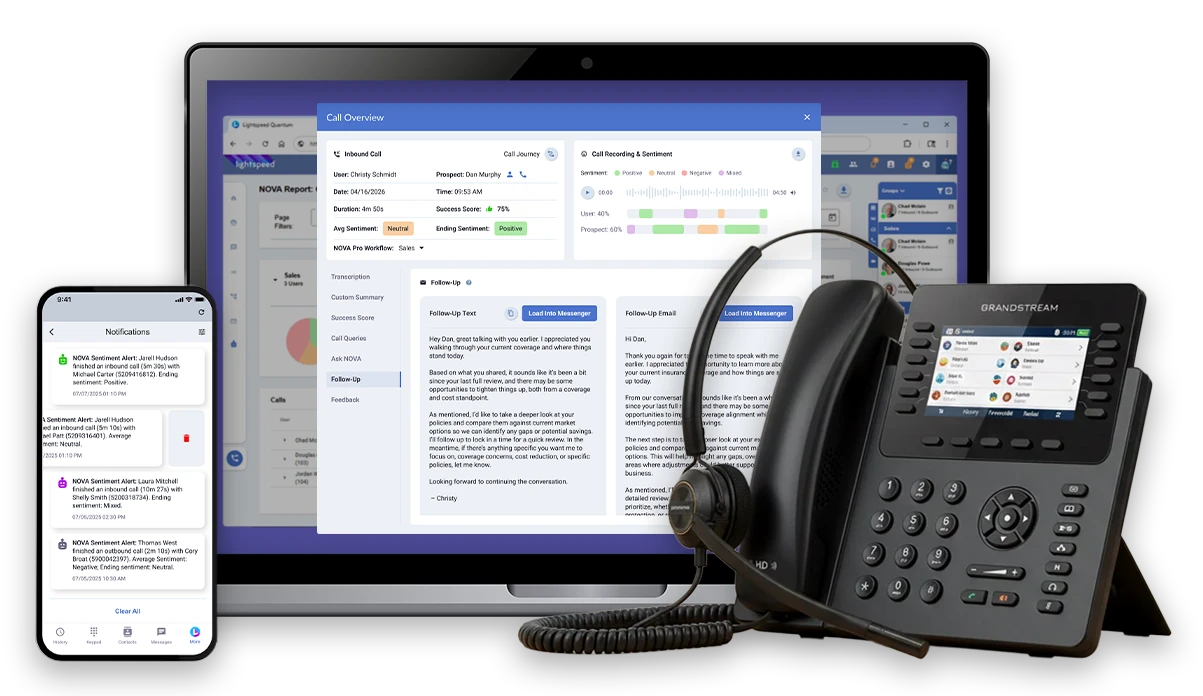
- Open matched client records when calls are answered
- Keep call details and recording links with your client
- Add NOVA summaries and sentiment after processing

How Lightspeed Voice Works with Vertafore Platforms
NOVA AI + Vertafore
Built for the Vertafore Systems Agencies Rely On


Call and text through AgencyZoom or Lightspeed Voice, and keep call details and recording links with the client. NOVA summaries and sentiment sync after processing.
- Two-way call & text sync
- Call details and permission-controlled recording links
- NOVA summaries after call processing
- NOVA sentiment connected to the client
Open matched AMS360 records when calls are answered. With the relevant triggers configured, call details and recording links are added to customer Notes.
- Call pop-ups with client data
- Call details and recording links in customer Notes
- NOVA summaries and sentiment after processing
Open matched QQCatalyst contacts when calls are answered. Keep call details, recording links, and supported communication activity with the client.
- Call pop-ups with client data
- Call details and recording links in client activity
- NOVA summaries and sentiment after processing

Explore NOVA and NOVA Pro
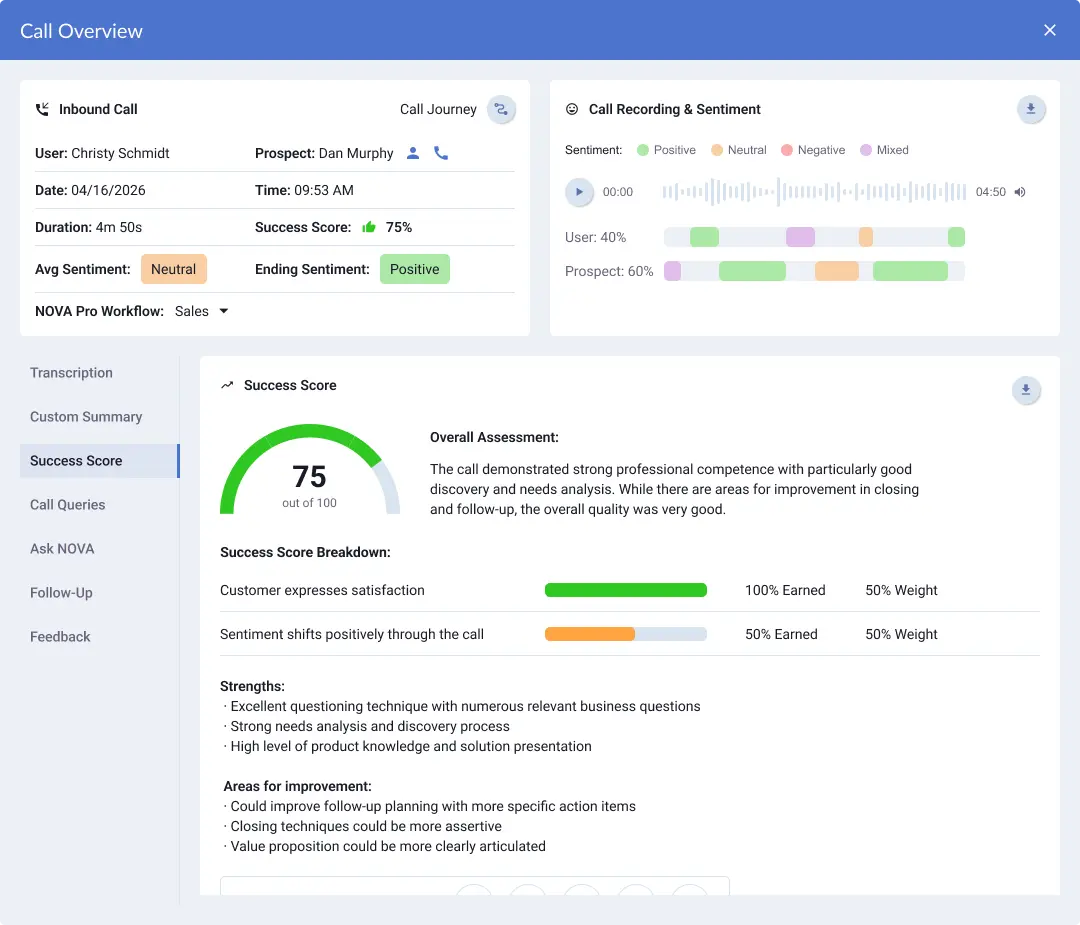
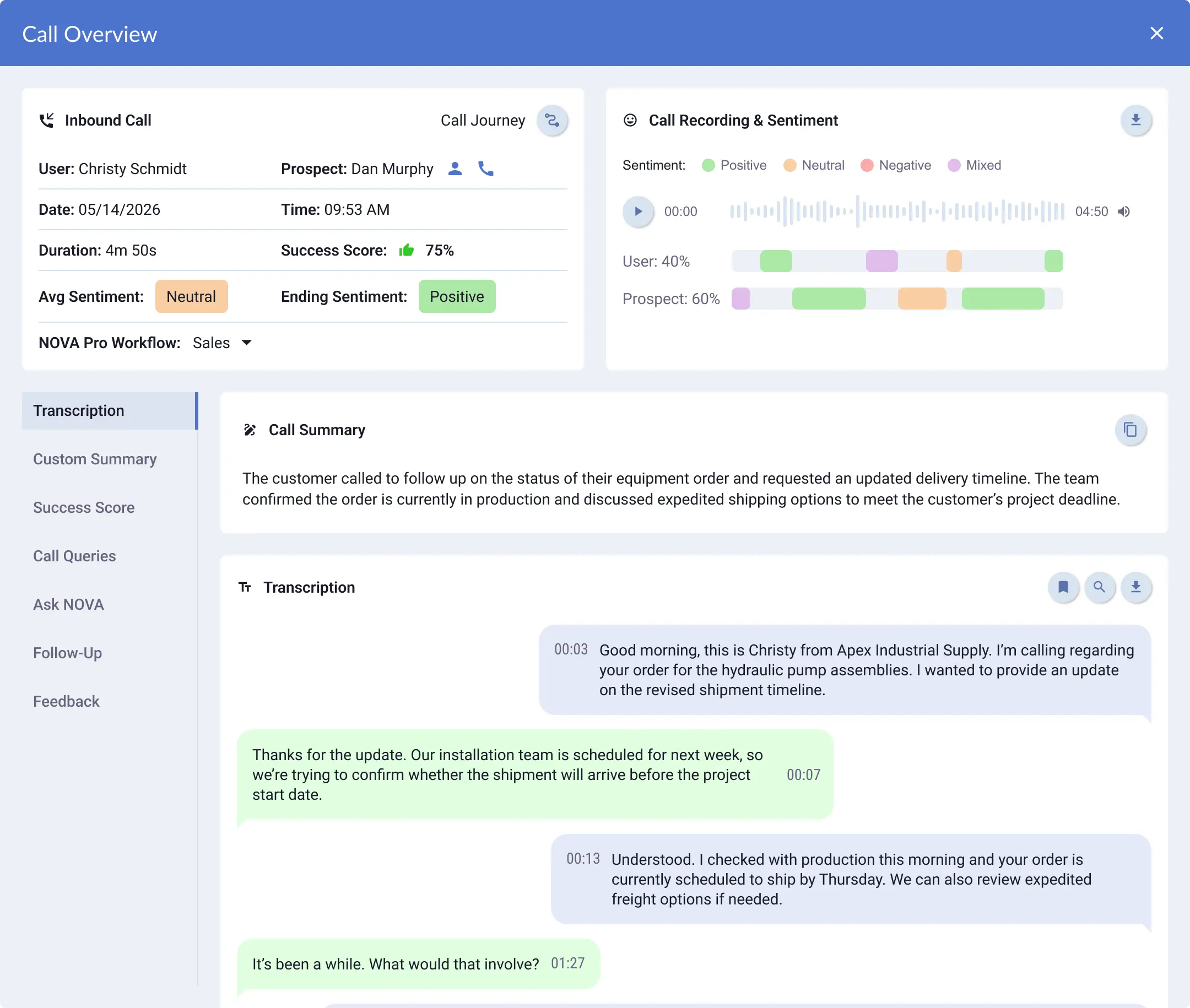
Review calls in Lightspeed Voice with NOVA and NOVA Pro. With NOVA and the relevant triggers enabled, summaries and sentiment sync to your connected Vertafore platform after processing.


Get connected to your Vertafore platform
Choose the setup guide for the system your agency uses.
AgencyZoom
Authorize calls and texts in AgencyZoom, then configure users and triggers.
View Setup GuideQQCatalyst
Authenticate QQCatalyst, assign users, and choose your call-pop and logging settings.
View Setup GuideWhy Growing Agencies Choose Lightspeed Voice

U.S. Based Support

Industry-Leading AI Insights

Built for Insurance Workflows

4.9-Star Average Rating
FAQs
Lightspeed Voice and your Vertafore platform
Which Vertafore platforms does Lightspeed Voice integrate with?
Lightspeed Voice connects with AMS360, AgencyZoom, and QQCatalyst. Each integration has its own setup requirements and supported workflows. Choose your platform below to review its capabilities and setup guide.
How do call pops work?
With the relevant settings enabled, the integration matches the call's phone number to a stored client record and opens the matching record when the call is answered.
Where do call details appear?
Call details and recording links are logged with the matched client: in AMS360 customer Notes, AgencyZoom client activity, or QQCatalyst client activity, with the relevant triggers configured.
When do NOVA summaries and sentiment sync?
NOVA summaries and sentiment sync after the call ends and processing completes. NOVA and the corresponding integration triggers must be enabled for the user.
Do I need NOVA Pro for summaries and sentiment?
NOVA includes standard call summaries and sentiment. NOVA Pro adds tools such as Custom Summaries, Call Queries, and Follow-Up Drafts in Lightspeed Voice.
How do I set up my Vertafore integration?
Use the setup guide for your platform: AMS360, AgencyZoom, or QQCatalyst. Assign users, authenticate the connection, and configure the call-pop and communication triggers your agency needs.
See Lightspeed Voice with Your Vertafore Platform
Book a demo to see matched client records, call logging, and NOVA insights in your your Vertafore platform workflow.
- Explore the Lightspeed Voice and your Vertafore platform integration with our team.


