

Keep Client Call Details in EZLynx
Open matched client records, sync call details and recording links, and add NOVA summaries and sentiment to EZLynx.
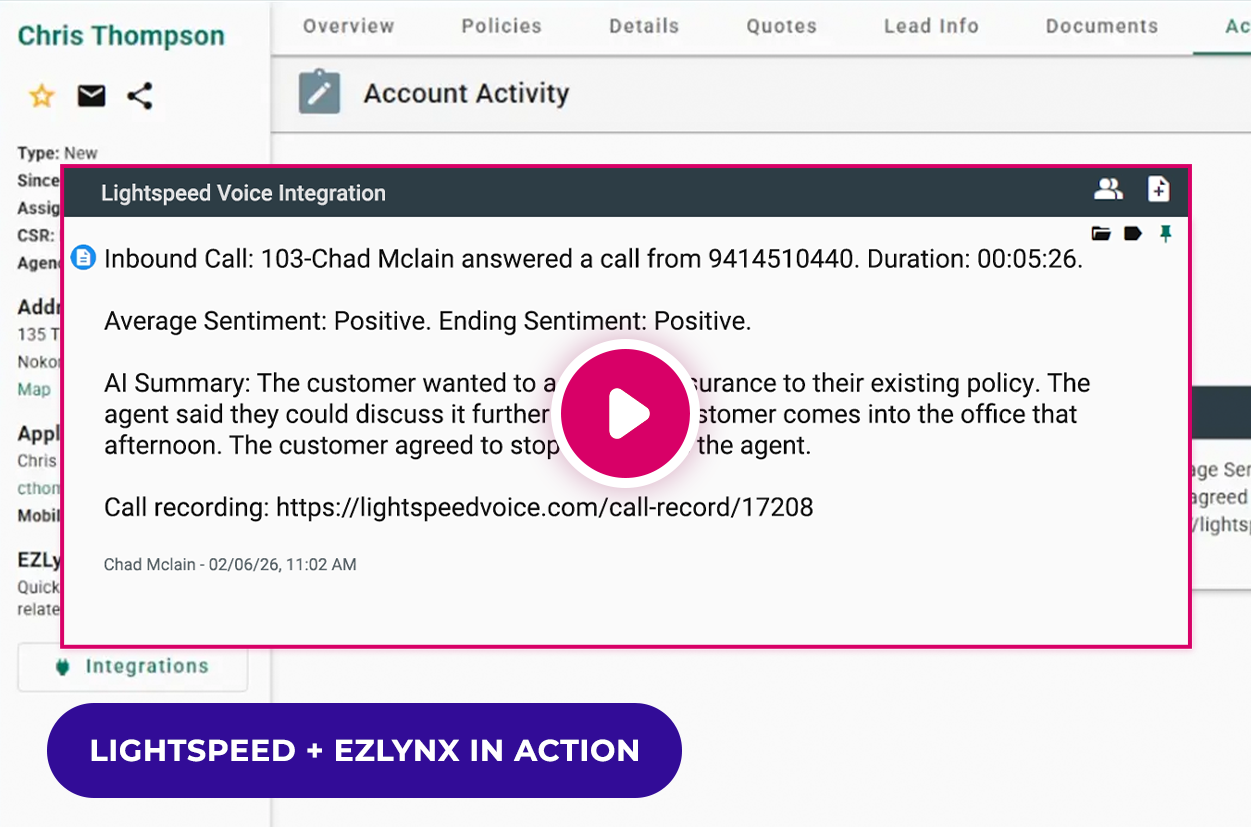
- Open matched client records when calls are answered
- Log call details and recording links with the client
- Add NOVA summaries and sentiment after processing
Included with eligible Lightspeed Voice plans
How the EZLynx Phone Integration Works
NOVA AI + EZLynx
Bring Call Details into EZLynx Client Records


- Sync call details automatically with the relevant triggers configured
- Add NOVA summaries and sentiment after processing completes
- Open recording links according to Lightspeed Voice user permissions

EZLynx integration at a glance
See how client calls and communication history connect.
Capability | Availability | How it works |
|---|---|---|
Client record call pops | ✓ Supported | Open the matched EZLynx record when a call is answered. |
Automatic call notes | ✓ Supported | Sync call details to the matched client's record. |
Recording links | ✓ Supported | Keep a permission-controlled recording link with the call details. |
AI summaries & sentiment | ✧ Requires NOVA | Add summaries and sentiment after post-call processing completes. |
Recording access follows user permissions. NOVA insights sync after processing.
Explore NOVA and NOVA Pro
Review calls in Lightspeed Voice with NOVA and NOVA Pro. NOVA summaries and sentiment sync to EZLynx after processing.
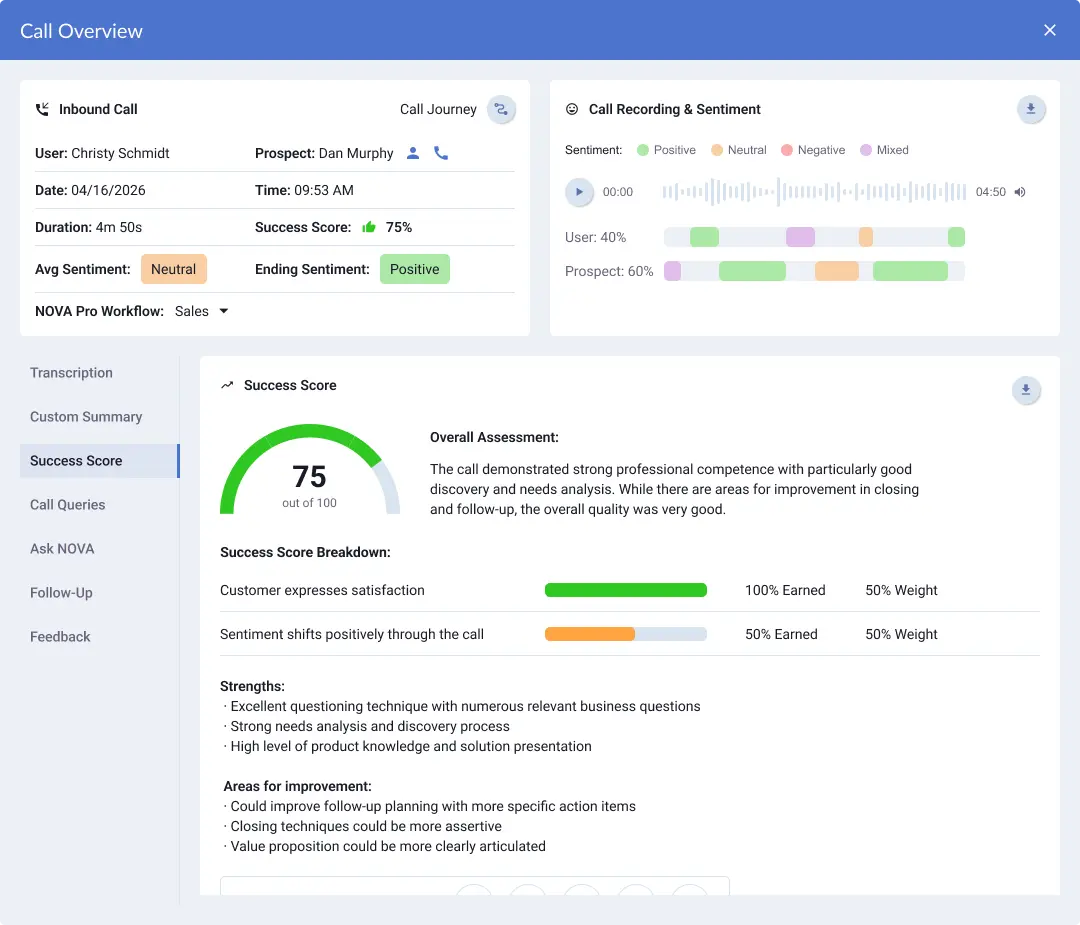
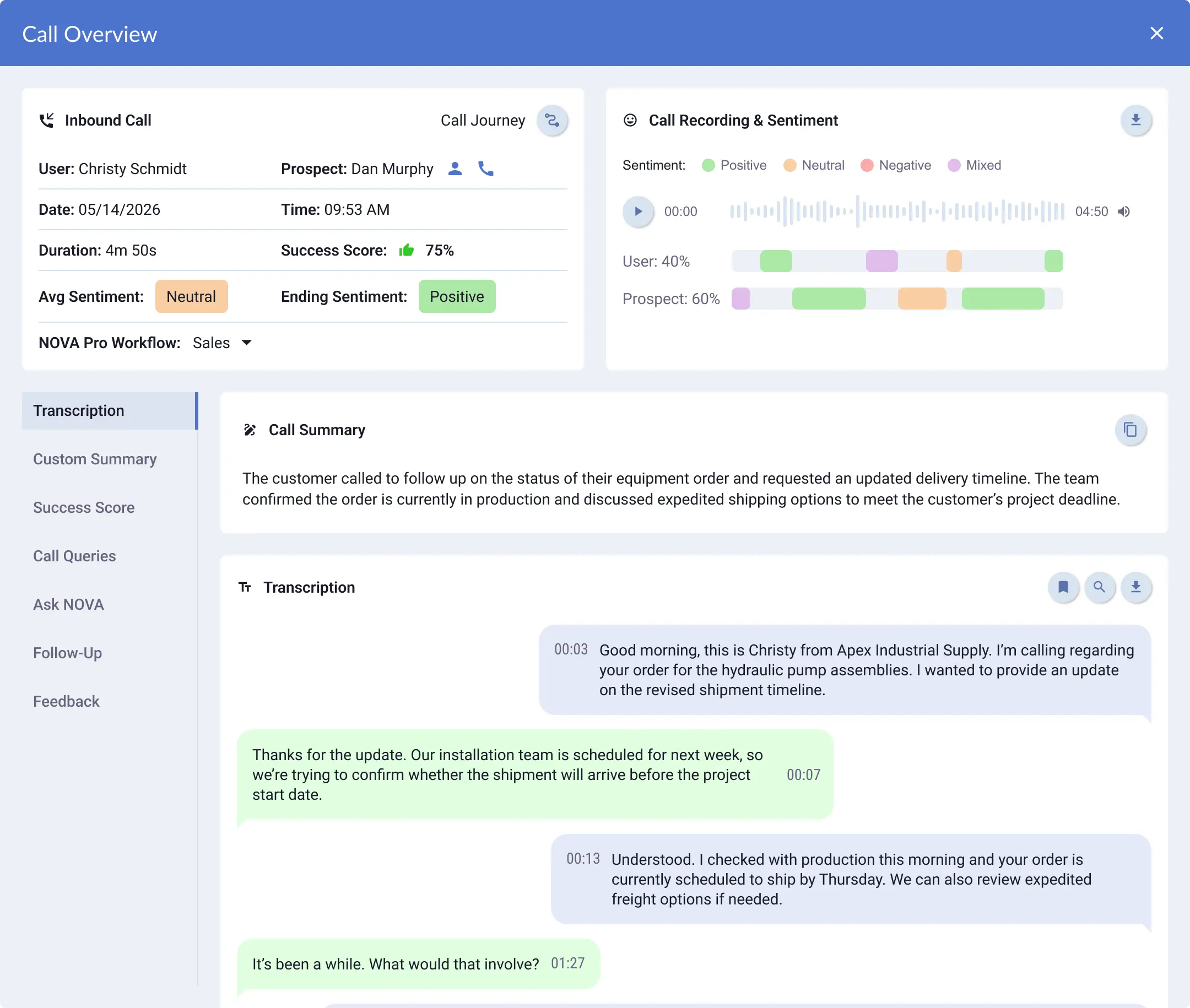


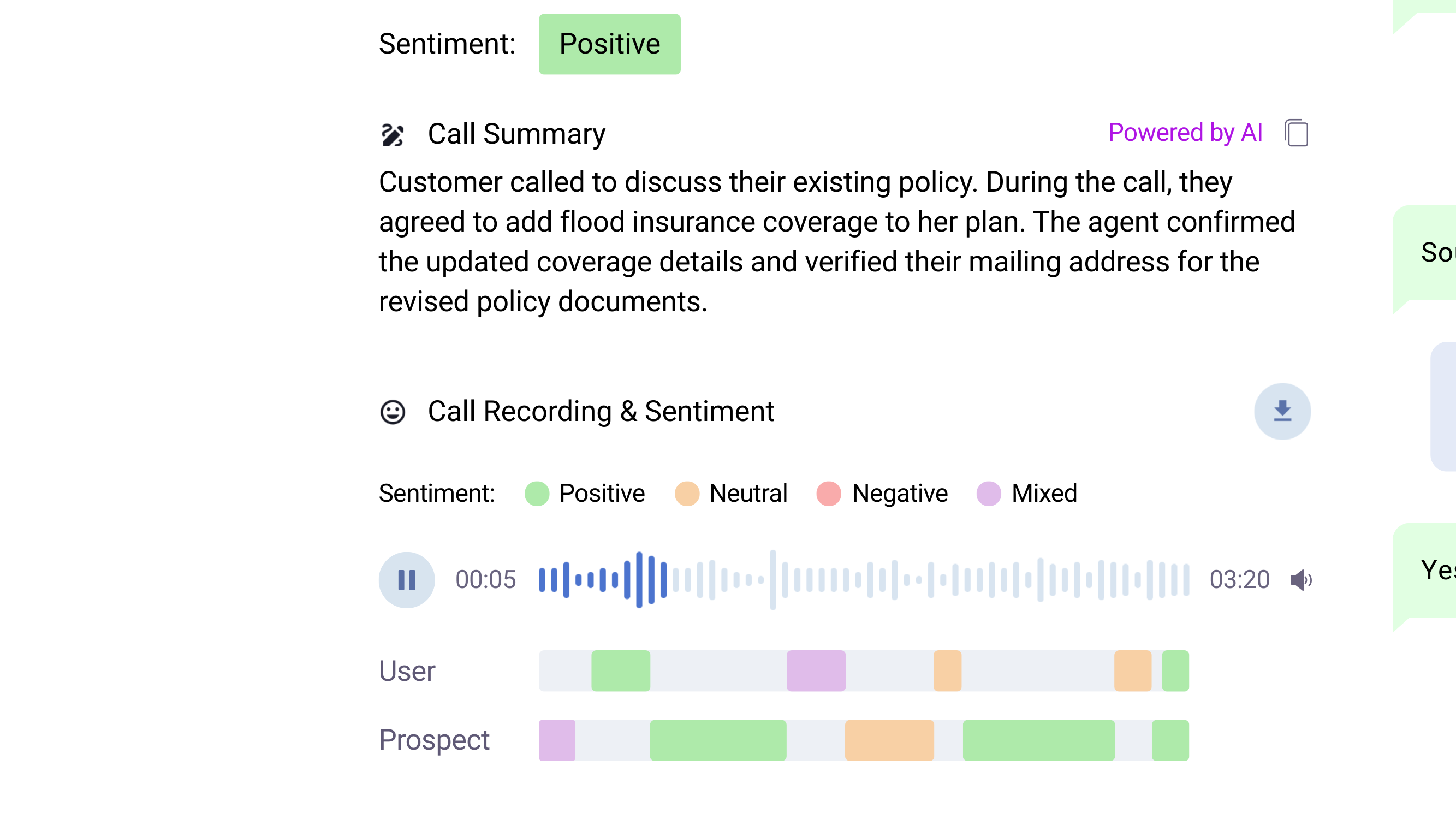
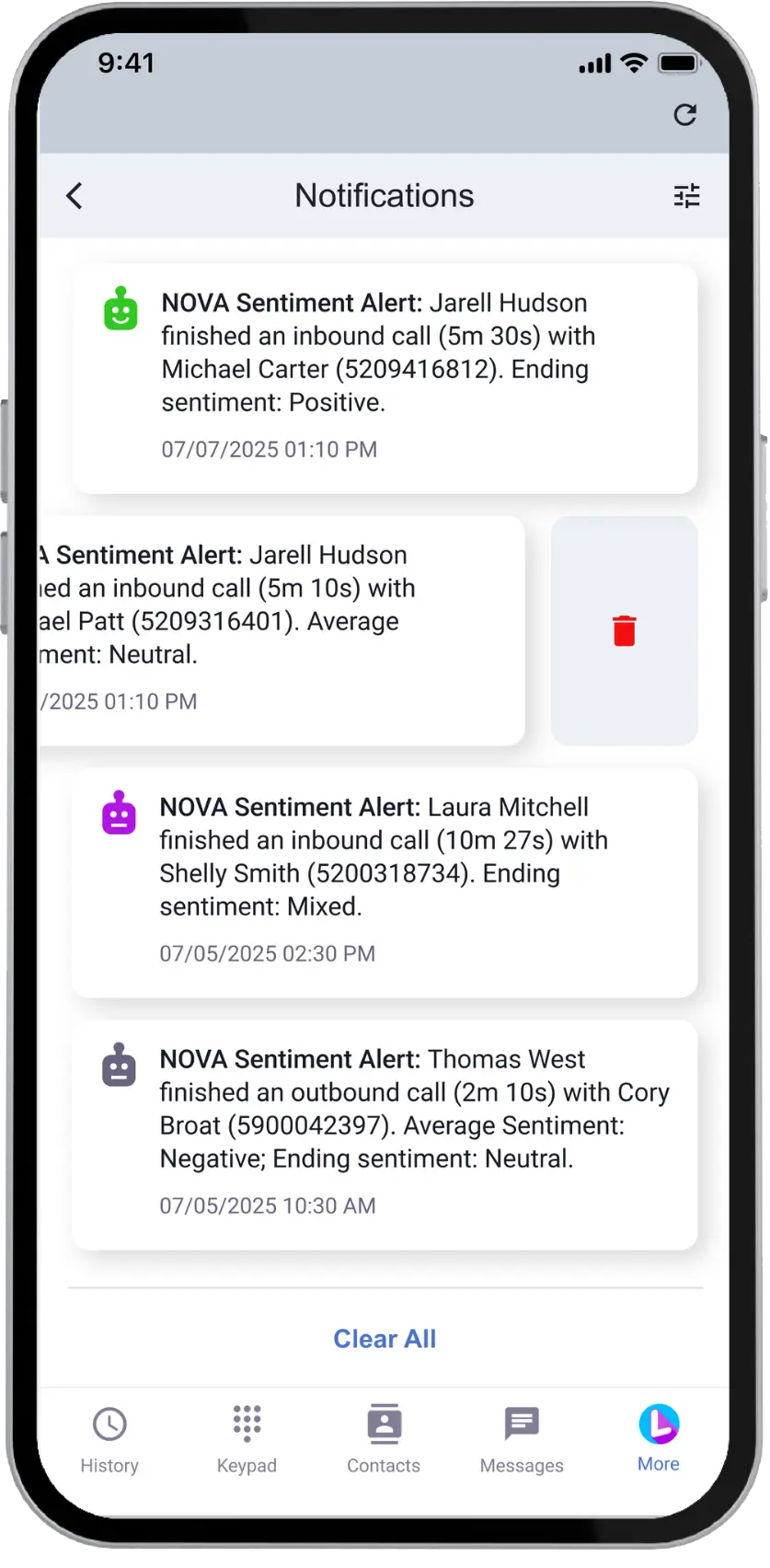
Stay Ahead with Sentiment Insights

See Who Needs
Follow Up

Know When Clients
Are Frustrated
Get connected to EZLynx
Our team helps your agency configure the connection and get started.
Create your connection
Keep Orbit current, create the EZLynx integration in Lightspeed Voice, and assign the users who need access.
Authorize in Marketplace
Request access with your EZLynx username and email. In EZLynx Marketplace, add Lightspeed Voice, accept the terms, and save.
Choose your settings
Choose your Orbit call-pop preferences and enable the relevant logging and NOVA triggers.
Ready to set up your integration?
Follow our EZLynx integration setup guide.
Why Agencies Choose Lightspeed Voice

#1 Rated Phone Service

Award-Winning NOVA AI

98% Customer Satisfaction

4.9 Star Google Rating
FAQs
Lightspeed Voice and EZLynx
How does Lightspeed Voice integrate with EZLynx?
Lightspeed Voice connects calls with matched EZLynx client records. With the relevant triggers configured, call details and recording links are logged automatically. With NOVA enabled, summaries and sentiment are available after post-call processing completes.
How do EZLynx call pops work?
Orbit matches the call's phone number to a stored EZLynx contact and opens the record when the call is answered, according to your call-pop settings. Choose inbound, outbound, all, or no call pops. A matching stored phone number is required.
Where do call details and NOVA insights appear?
Call details and recording links are saved with the matched EZLynx client record. With NOVA enabled, summaries and sentiment appear in the pinned window on the account overview after processing completes. Searchable transcripts remain in Lightspeed Voice.
Do I need NOVA Pro for summaries and sentiment?
NOVA is required for AI summaries and sentiment. NOVA Pro is optional. These insights sync after the call ends and processing completes, with the relevant integration triggers configured.
Who can access recording links in EZLynx?
Recording access follows Lightspeed Voice user permissions. Users can access their own recordings; accessing other users' recordings requires the appropriate administrative permissions.
What is required to set up the EZLynx integration?
You need an active Lightspeed Voice account, Orbit, valid EZLynx credentials, and EZLynx Marketplace access. Create the integration, assign users, request access, and add Lightspeed Voice in EZLynx Marketplace. Confirm authentication, then configure call pops and the relevant triggers.
See Lightspeed Voice and EZLynx in Action
Book a demo to see matched client records, call logging, and NOVA insights in your EZLynx workflow.
- Explore the Lightspeed Voice and EZLynx integration with our team.


