

Call Sentiment Analysis for Business Phone Conversations
NOVA AI helps teams understand the tone of completed calls and create sentiment alerts when conversations meet specific conditions.
What Is Call Sentiment Analysis?
Call sentiment analysis helps teams understand the tone of completed phone conversations, showing whether a call was positive, neutral, negative, or mixed.
With NOVA AI, sentiment insights work alongside Smart Summaries and Transcription to give teams more context after each call.
With NOVA AI, sentiment insights work alongside Smart Summaries and Transcription to give teams more context after each call.
Included with NOVA AI
NOVA AI includes Smart Summaries, Transcription, and Sentiment, helping teams review completed calls faster and spot what may need attention.
See how NOVA AI works
Why Sentiment Insights Matter
Every customer conversation has context beyond the words spoken. Sentiment insights help teams spot tone, urgency, and potential follow-up needs faster.
Spot Calls That Need Attention
Identify conversations that may require extra review or follow-up.
Understand Conversation Tone
See whether completed calls were positive, neutral, negative, or mixed.
Trigger Smarter Alerts
Create alerts based on sentiment, call duration, and notification preferences.


Ready to take your conversations further?
Upgrade to NOVA Pro and unlock the full power of your call data.
AI-POWERED CALL SUMMARIES
From Call Activity to Sentiment Context
NOVA AI helps teams move beyond basic call records by showing the tone of completed conversations.
Call Activity
00:00
Agent:
Thanks for calling, this is Christy, How can I help you today?
00:23
Prospect:
Hi, I’m reviewing my current coverage. It’s been a while since we updated it.
00:45
Agent:
I can help with that. Are you looking to compare options or add coverage?
01:05
Customer:
Both. I want to make sure my policy still fits and isn’t costing too much.
01:19
Agent:
Sounds good. I’ll schedule a coverage review and send over next steps.
01:32
Customer:
Perfect, thank you.

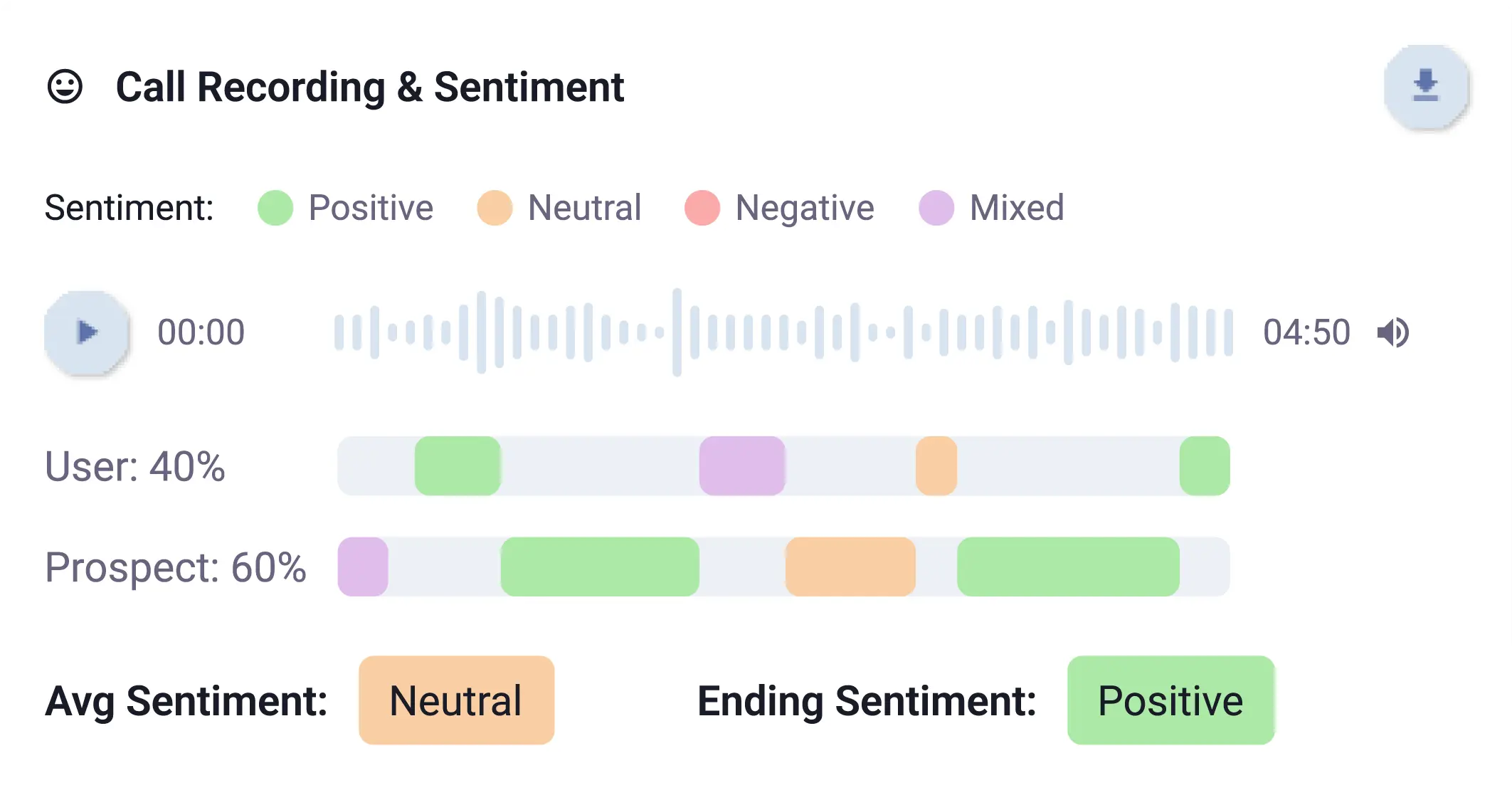
Sentiment Context
Sentiment Signals
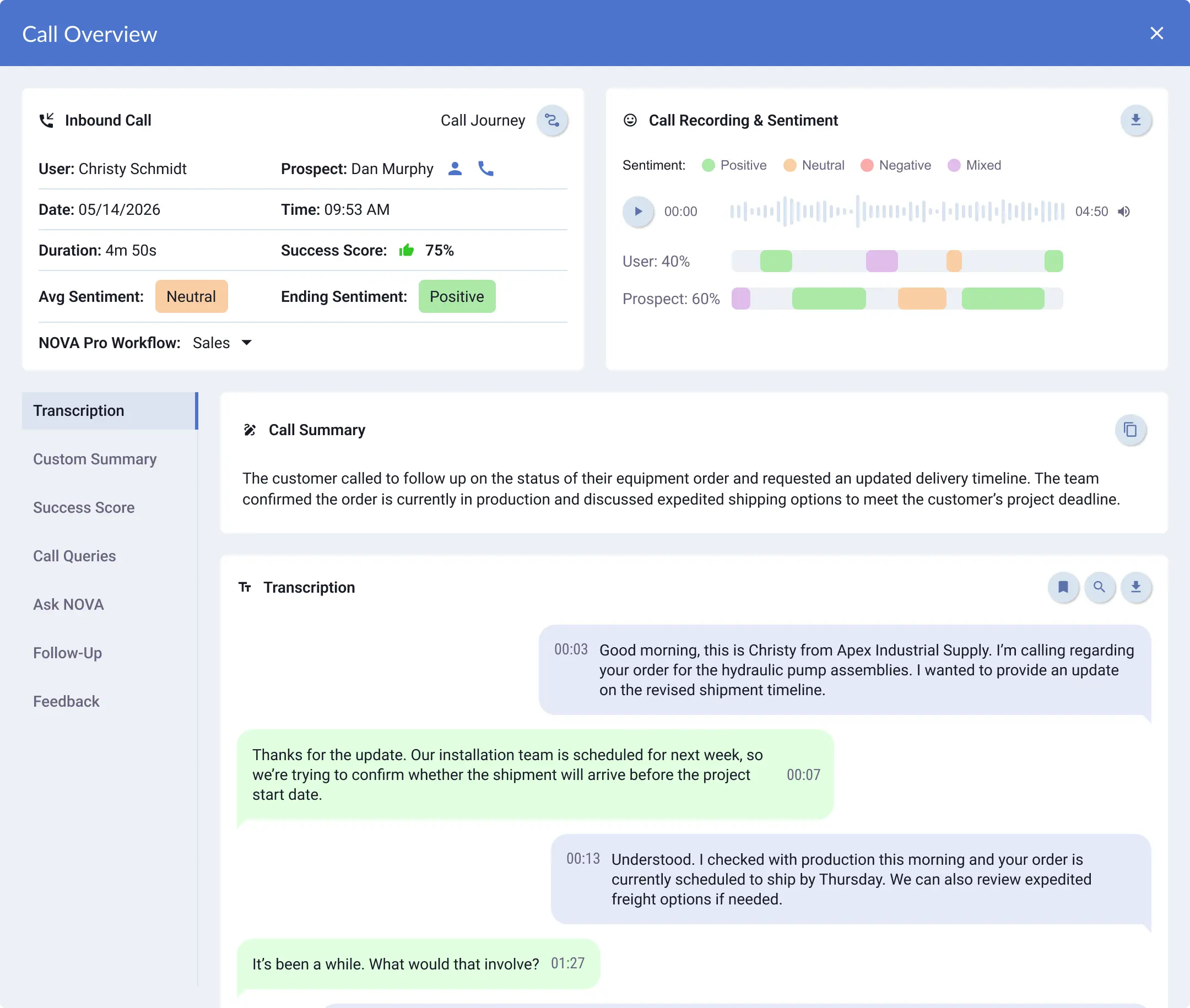
Average sentiment shows the overall tone of the call
Ending sentiment shows how the conversation concluded
Sentiment can appear as Positive, Neutral, Negative, or Mixed
Custom Alerts That Keep Your Team Informed
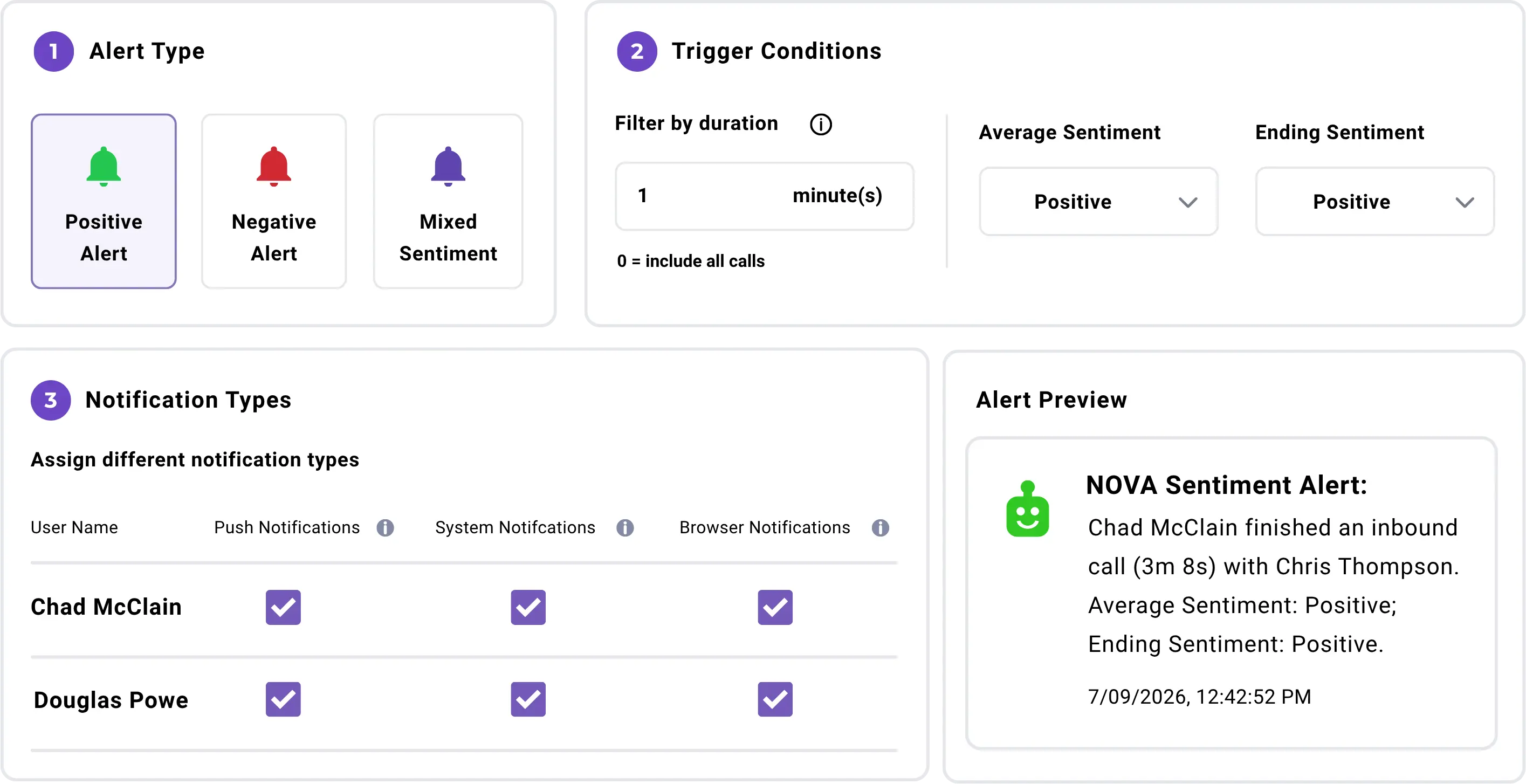
Sentiment Alerts notify the right people when completed calls meet the conditions you choose.
Custom Alerts Based on
Call Sentiment
Set alerts for calls that match specific sentiment conditions.
Choose the sentiment triggers
Choose average sentiment, ending sentiment, or both.
Filter by call duration
Limit alerts by minimum call length.
Control who gets notified
Choose who receives alerts and how they are delivered.
Sentiment Alert Settings
Where Call Sentiment Analysis Helps Most
Sentiment insights and alerts help teams review the customer conversations that may need more attention, coaching, or follow-up.
Call sentiment analysis gives teams another layer of context, helping them understand not only what was said, but how the conversation unfolded.
More Context with NOVA AI
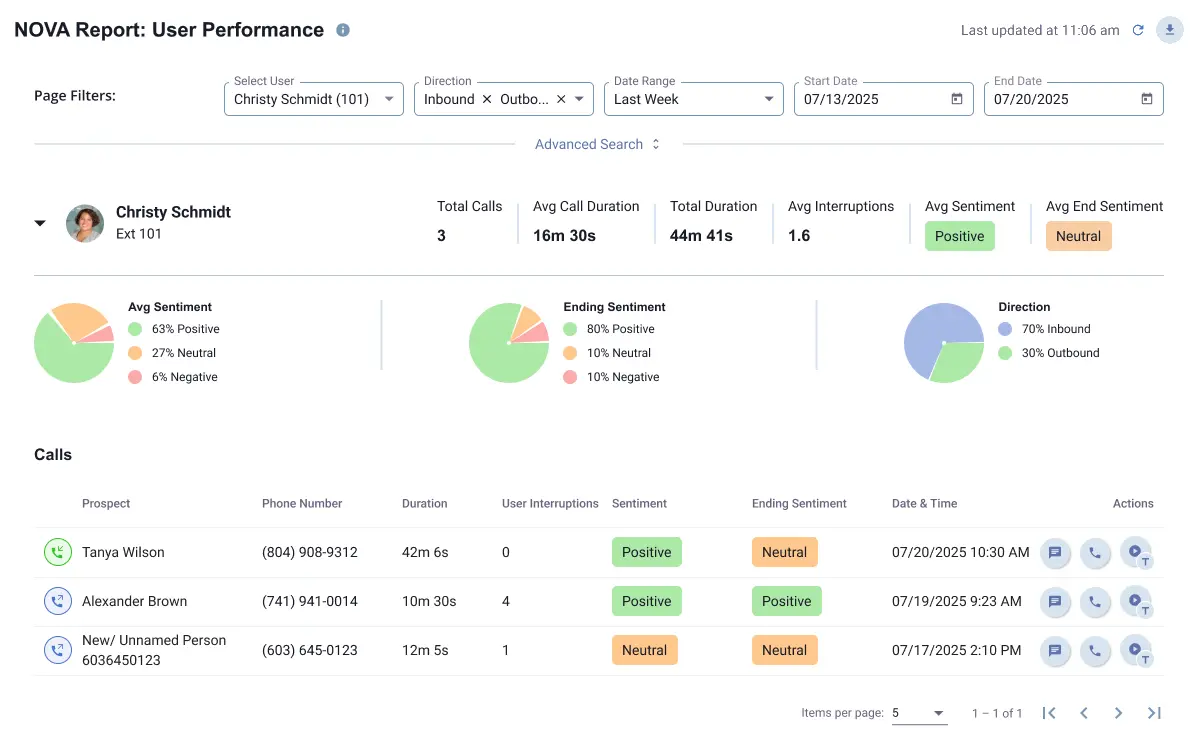
Sentiment is one part of NOVA AI. Together, Smart Summaries, Transcription, and Sentiment help teams review completed calls faster and understand customer conversations more clearly.
Smart Summaries
Get to the key takeaways and action items—fast.
Sentiment
See how the conversation flowed with sentiment insights.
Transcription
Review the full conversation with searchable, AI-enhanced transcription.
Go Beyond Transcription with NOVA Pro.
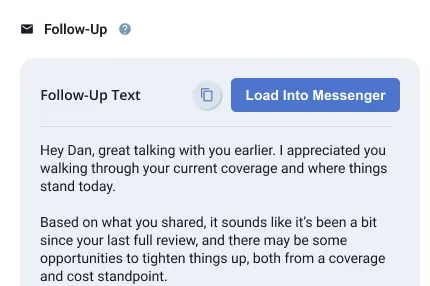
NOVA Pro builds on NOVA with advanced tools like Success Score, Call Queries, Ask NOVA, and Follow-Ups. Teams can analyze completed calls more deeply, surface specific details faster, and take action with more confidence.


"Lightspeed Voice has truly outdone themselves with NOVA, and it’s become an indispensable asset for our business. If you're serious about efficiency and client satisfaction, NOVA is a game-changer."

Jason Cass
Founder, Agency Intelligence

“That’s really why I love NOVA — it helps me avoid unnecessary callbacks, makes my calls more efficient, and even serves as a learning tool for my team.

Lance Broat
Venice Print Center

"We use it! It's amazing! Saves so much time taking notes."

Scott Gaspar
Advanced Systems Group, Inc.

FAQs
Common Questions About Lightspeed Voice's Call Sentiment Analysis. Can’t find the answer you’re looking for?
What is call sentiment analysis?+
Call sentiment analysis helps teams understand the tone of a completed phone conversation, such as whether the call was positive, neutral, negative, or mixed.
How does call sentiment analysis help businesses?+
Call sentiment analysis helps businesses identify conversations that may need review, follow-up, coaching, or extra attention.
Does Lightspeed Voice offer call sentiment analysis?
Yes. Lightspeed Voice offers sentiment insights through NOVA AI, along with Smart Summaries and Transcription.
Can sentiment insights help insurance agencies?
Yes. Sentiment insights can help insurance agencies review policy questions, claims conversations, billing calls, renewal discussions, and other client conversations that may need follow-up.
What are Sentiment Alerts?+
Sentiment Alerts notify selected team members when completed calls meet specific sentiment conditions, such as average sentiment, ending sentiment, or call duration.
Can teams customize Sentiment Alerts?+
Yes. Teams can create alerts based on sentiment type, minimum call duration, assigned recipients, and notification types such as push, system, or browser notifications.
Is call sentiment analysis the same as call transcription?+
No. Call transcription turns the conversation into readable text. Call sentiment analysis helps identify the tone of the conversation.
What is the difference between NOVA and NOVA Pro?+
NOVA includes Smart Summaries, Transcription, and Sentiment. NOVA Pro adds Success Score, Call Queries, Ask NOVA, and Follow-Ups for deeper call analysis and post-call action support.
Understand the Tone Behind Every Conversation
NOVA AI helps teams review completed business phone calls faster with sentiment insights, customizable Sentiment Alerts, Smart Summaries, and searchable Transcription built into Lightspeed Voice.

Oops! Something went wrong while submitting the form.


