

Keep Agency Conversations Connected in Momentum
Open matched contacts, log call details and recording links, and keep NOVA summaries and sentiment with your Momentum client records.
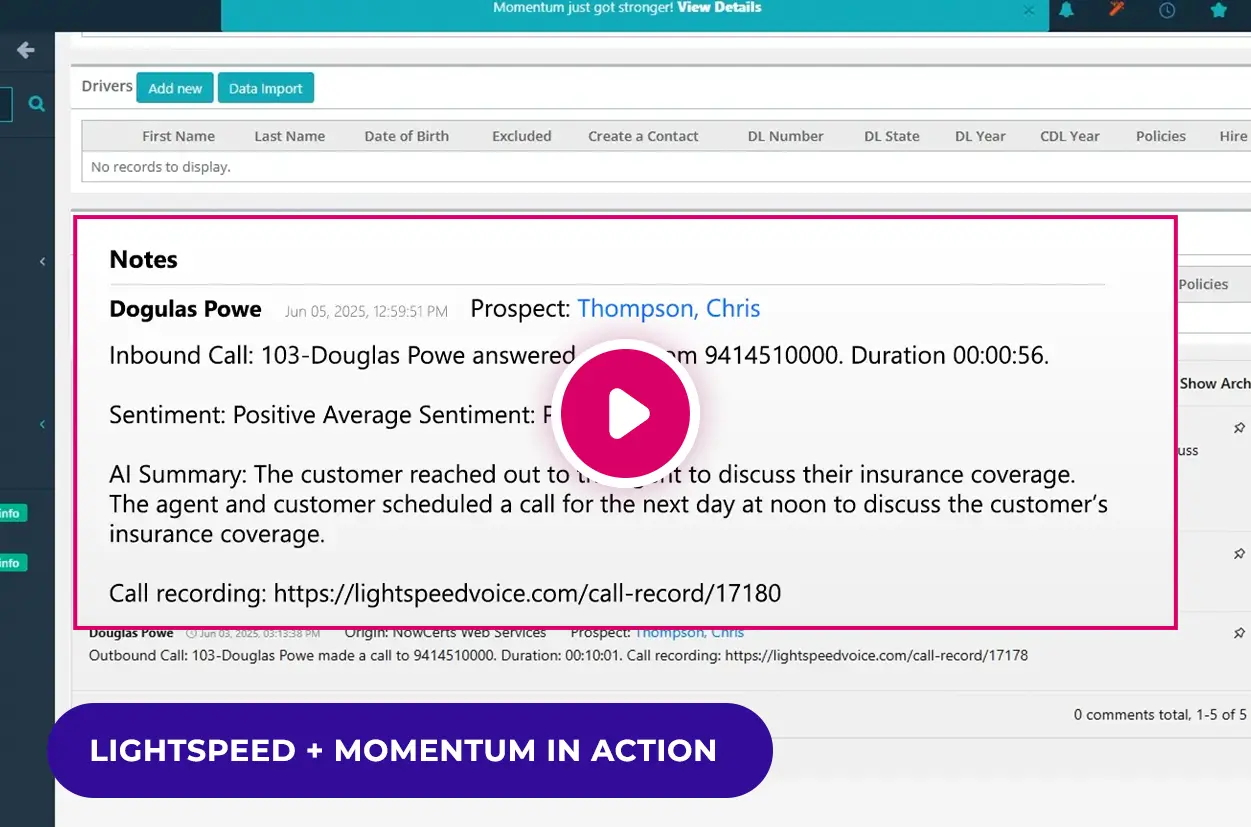
- Open matched Momentum records when calls are answered
- Keep call details and recording links with the client
- Add NOVA summaries and sentiment after processing

Included with eligible Lightspeed Voice plans
How the Momentum Phone Integration Works
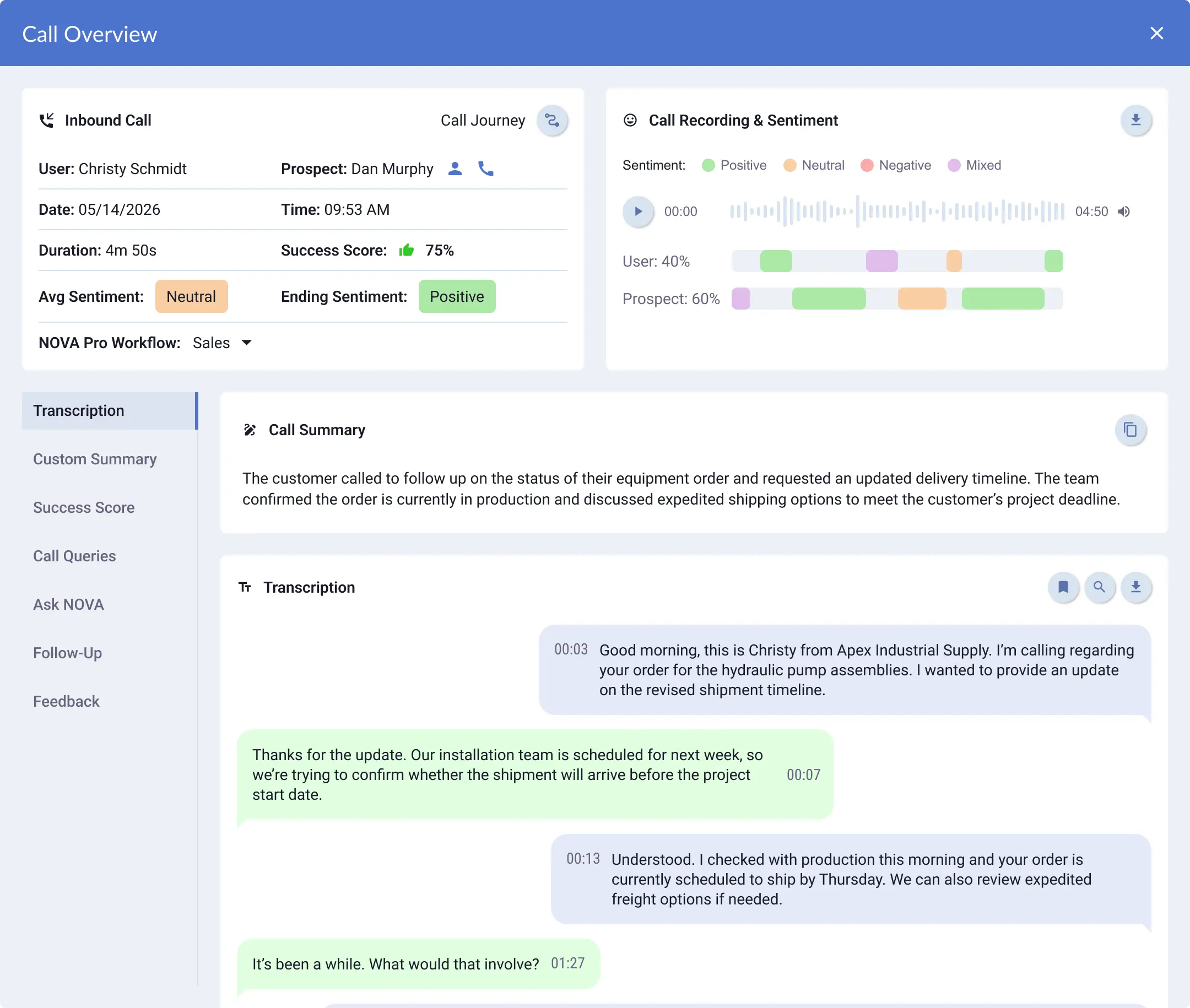
NOVA AI + Momentum
Bring Call Details into Momentum Client Records
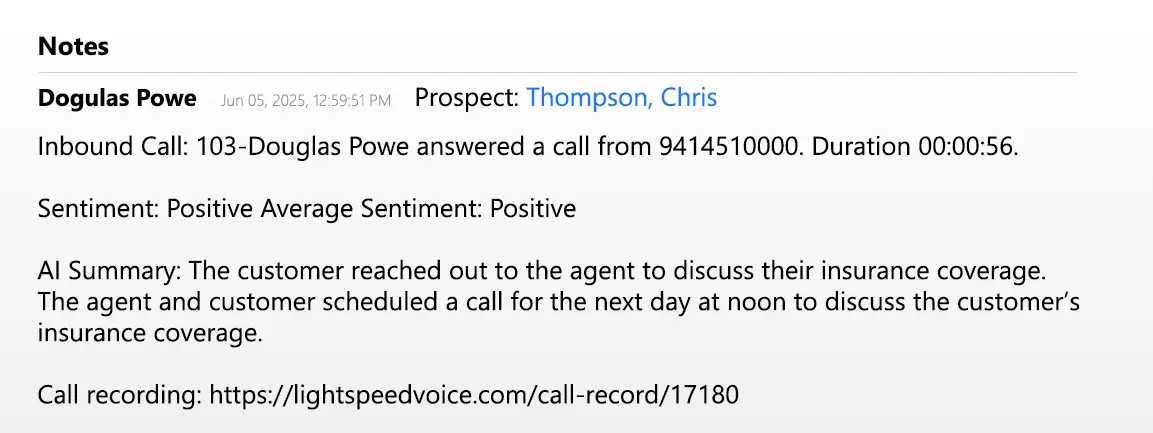
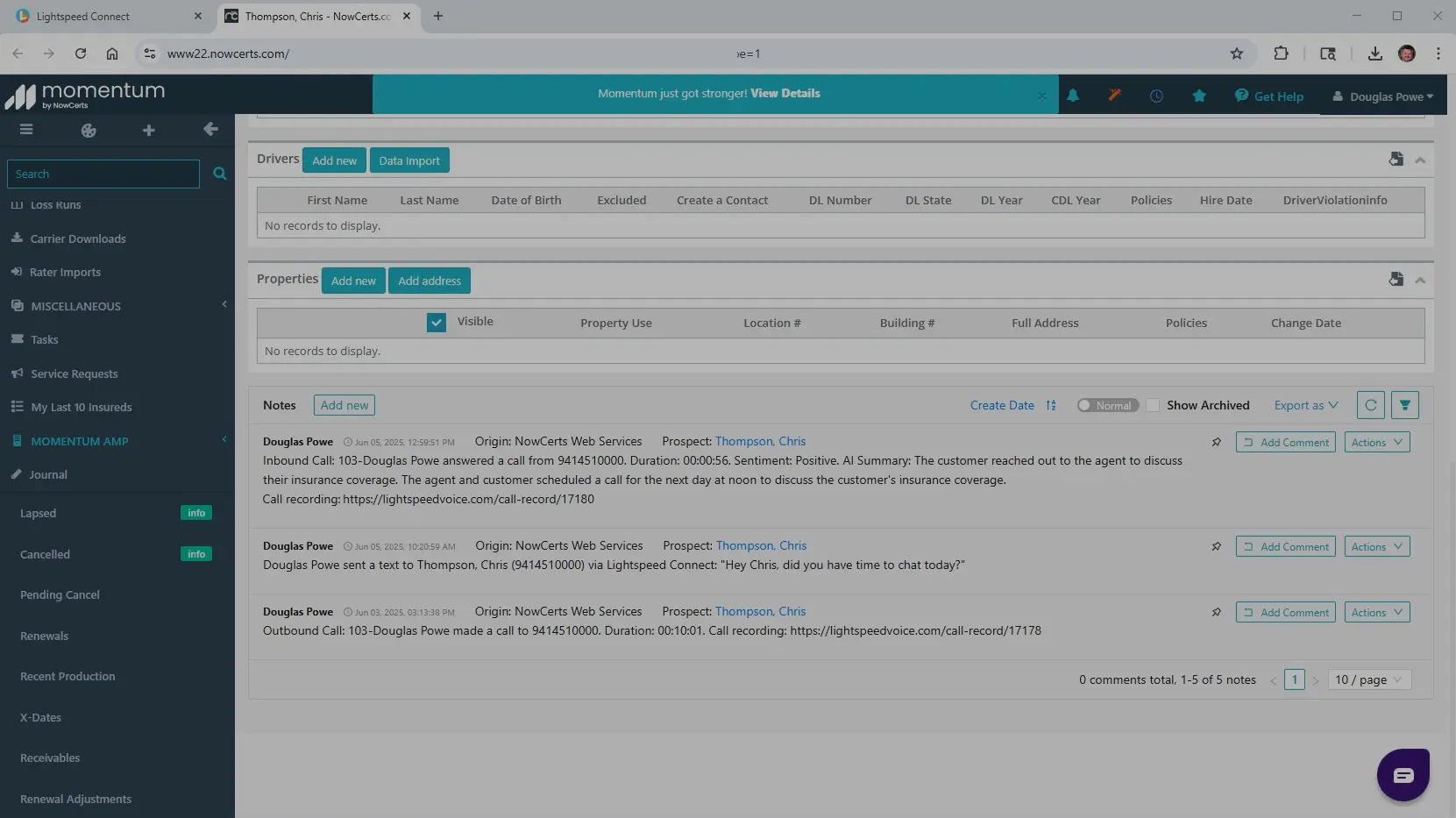

- Sync call details to the matched Momentum record with the relevant triggers configured.
- Add NOVA summaries and sentiment after processing completes.
- Open recording links according to Lightspeed Voice user permissions.

Momentum integration at a glance
See how client calls and communication history connect.
Capability | Availability | How it works |
|---|---|---|
Client record call pops | ✓ Supported | Open the matched Momentum record when a call is answered. |
Automatic call notes | ✓ Supported | Sync call details to the matched Momentum record with the relevant triggers configured. |
Recording links | ✓ Supported | Keep a permission-controlled recording link with the call details. |
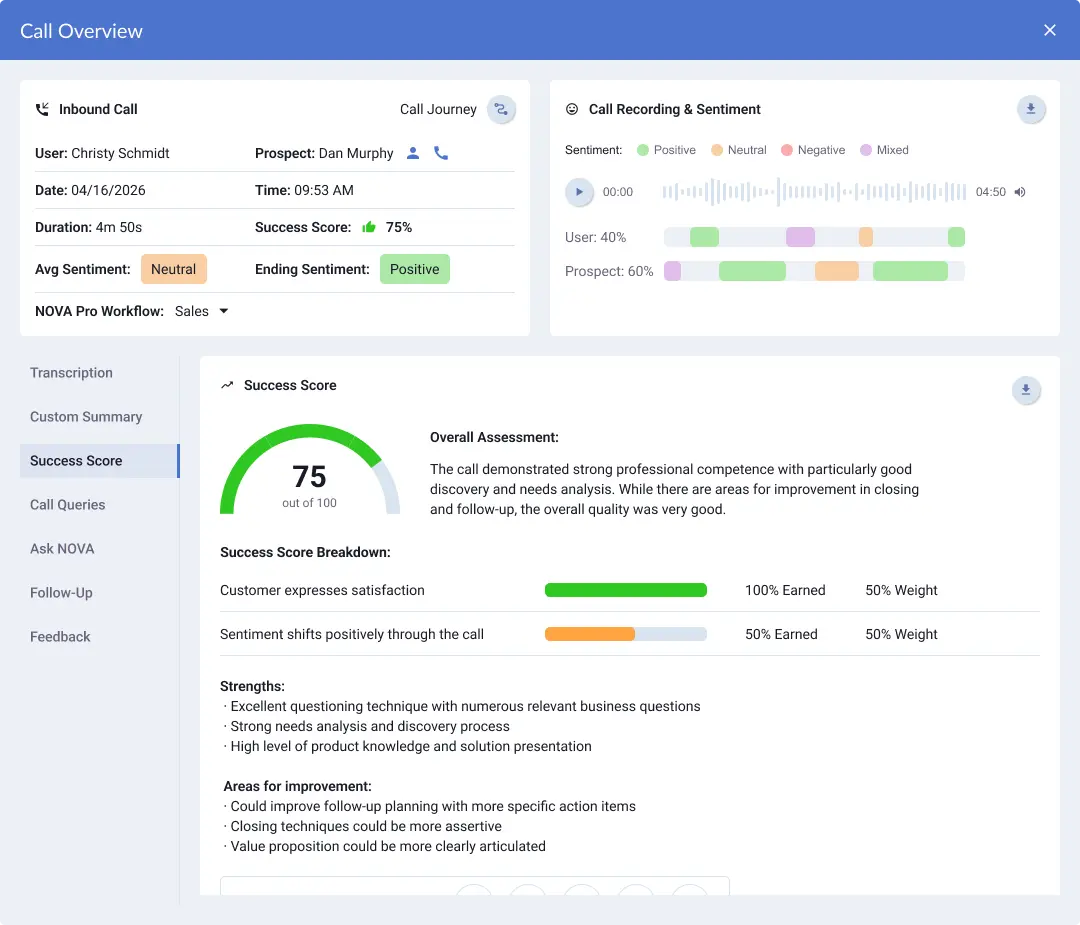
AI summaries & sentiment | ✧ Requires NOVA | Add summaries and sentiment after post-call processing completes. |
Text message activity | ✓ Supported | Sync sent and received Lightspeed Voice Messenger messages. |
Email activity | ✓ Supported | Keep supported sent and received email activity with the client. |
Recording access follows user permissions. NOVA insights sync after processing.
"The integration makes it easy to track calls, texts, and recordings, helping me stay organized and follow up more effectively."

Explore NOVA and NOVA Pro
Review calls in Lightspeed Voice with NOVA and NOVA Pro. NOVA summaries and sentiment sync to Momentum after processing.


Get connected to Momentum
Our team helps your agency configure the connection and get started.
Connect your account
Keep Orbit current, create the Momentum integration in Lightspeed Voice, and assign your users.
Authenticate Momentum
Connect using your Momentum credentials with permission to configure the integration.
Choose your settings
Choose call-pop behavior and enable the communication and NOVA triggers your team needs.
Ready to set up your integration?
Follow our Momentum integration setup guide.
Why Agencies Choose Lightspeed Voice

#1 Rated Phone Service

Award-Winning NOVA AI

98% Customer Satisfaction

4.9 Star Google Rating
FAQs
Lightspeed Voice and Momentum
How does the Momentum integration match calls to a client?
The integration matches the phone number on the call to an existing Momentum record. With the relevant call-pop settings enabled, the matching record opens when the call is answered.
What call information is available in Momentum?
With the relevant triggers configured, call details and recording links are logged with the matched Momentum record. Recording links require permission to access the recording in Lightspeed Voice.
When do NOVA summaries and sentiment appear in Momentum?
NOVA summaries and sentiment sync after the call ends and processing completes. NOVA and the corresponding integration triggers must be enabled for the user.
Do I need NOVA Pro for summaries and sentiment?
NOVA includes standard call summaries and sentiment. NOVA Pro adds tools such as Custom Summaries, Call Queries, and Follow-Up Drafts in Lightspeed Voice.
Who can access recording links in Momentum?
Recording access follows Lightspeed Voice user permissions. Users can access their own recordings, while access to other users' recordings requires the appropriate permissions.
What is required to set up the Momentum integration?
You need an active Lightspeed Voice account, Orbit and valid Momentum credentials, appropriate permissions, assigned users, and the relevant integration triggers.
See Lightspeed Voice and Momentum in Action
Book a demo to see matched client records, call logging, and NOVA insights in your Momentum workflow.
- Explore the Lightspeed Voice and Momentum integration with our team.


