

Xanatek Phone Integration with Lightspeed Voice
Connect your agency's calls with Xanatek. Access caller information, capture call notes, and review call details, recording links, and NOVA AI insights within your agency management workflow.
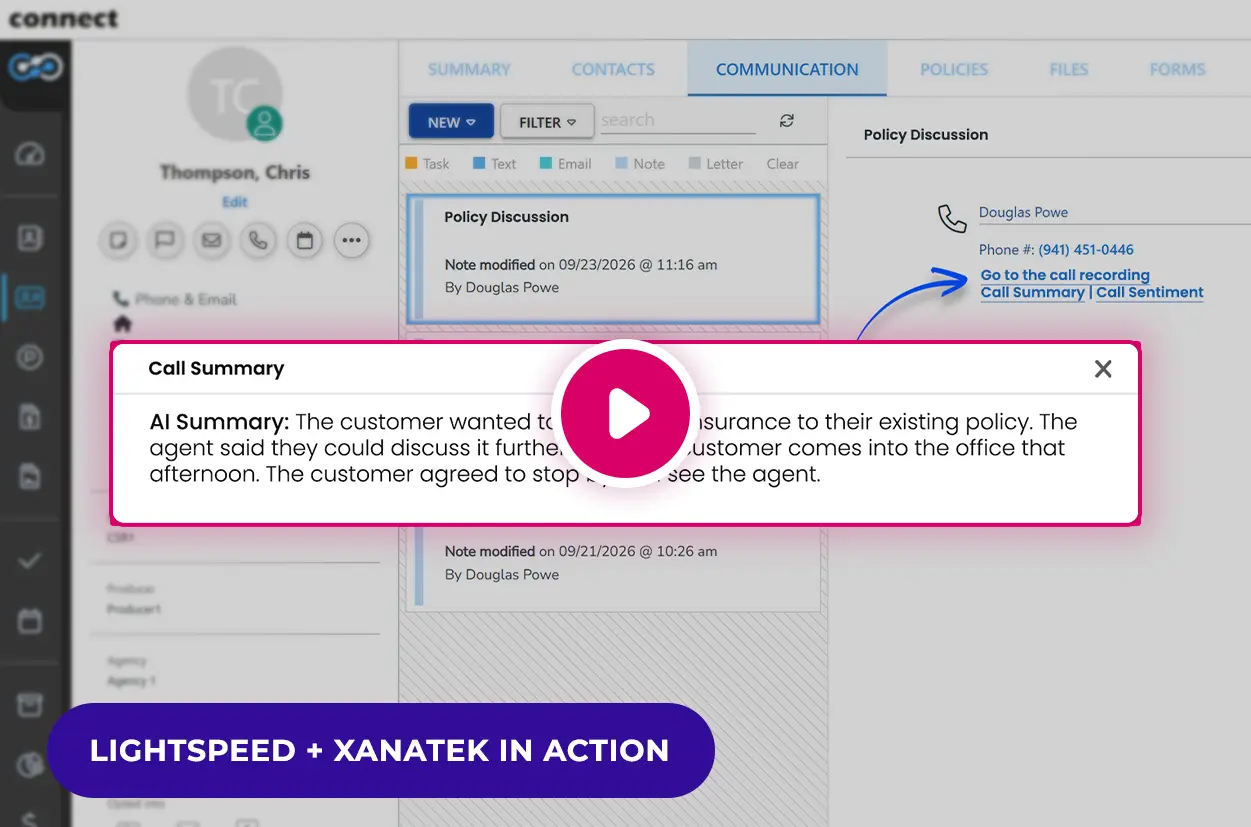
- See caller information with inbound and outbound call pop-ups
- Keep call notes, call details, and recording links easy to find
- Sync NOVA AI summaries and sentiment to Xanatek

Included with eligible Lightspeed Voice plans
Connect Your Phone System to Your Xanatek Workflow
Lightspeed Voice integrates with Xanatek to help insurance agencies document client conversations and access important call information. Call pop-ups help agents capture notes during inbound and outbound calls, while the Communications tab provides access to call details and recording links.
NOVA AI + Xanatek
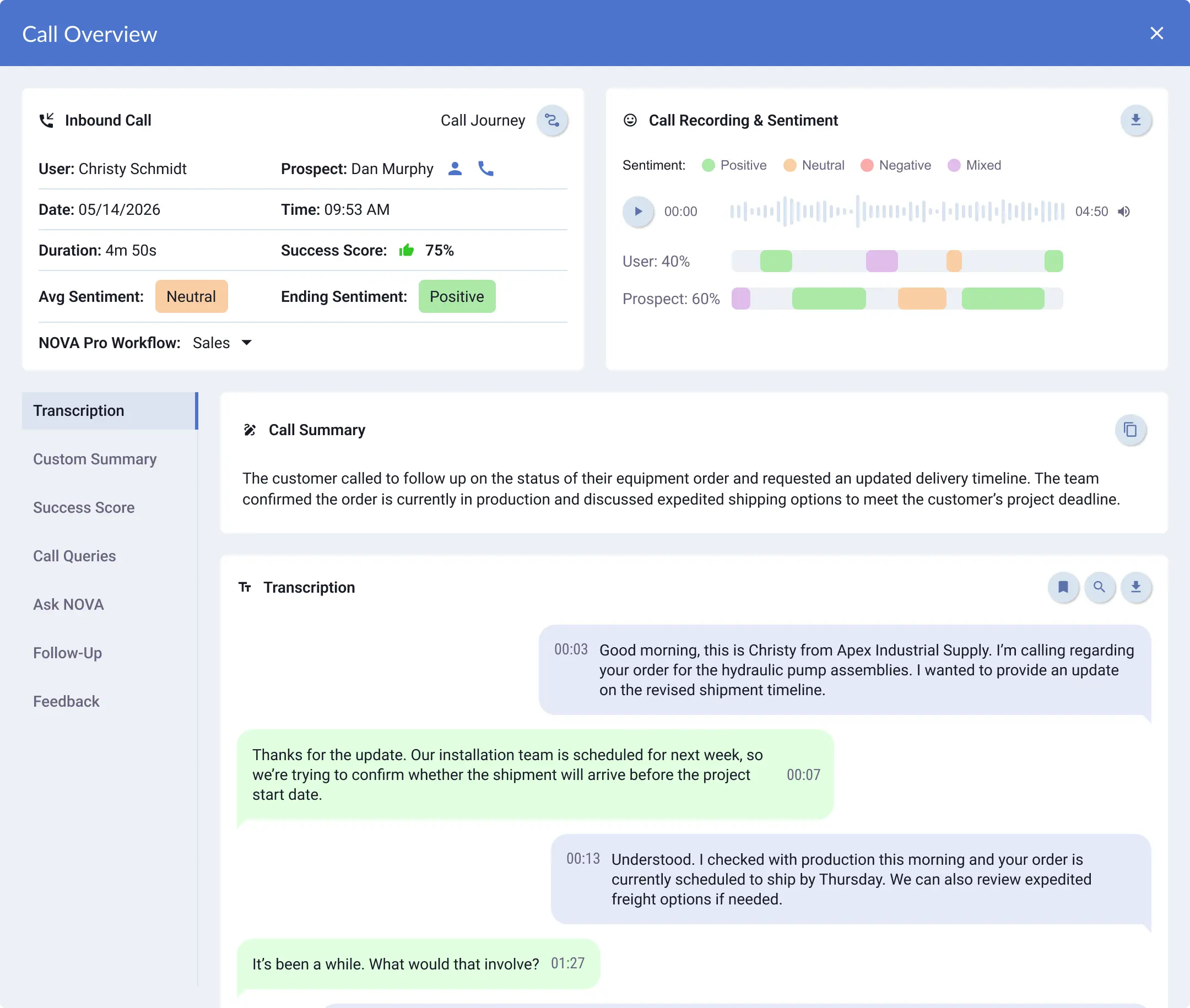
When paired with NOVA AI, Xanatek-connected calling can support AI-generated summaries, transcription, sentiment insights, and follow-up workflows, helping agencies review client calls and understand what needs attention faster.
Explore AI Features
Simplify Call Documentation in Xanatek
Give your team a convenient way to capture conversation details and find them when the next client call comes in.
Identify callers through call pop-ups
Create and save call notes during conversations
Review call details and recording links from the Communications tab
Use synced AI summaries and sentiment to prepare for follow-up

Bring NOVA AI Summaries and Sentiment into Xanatek
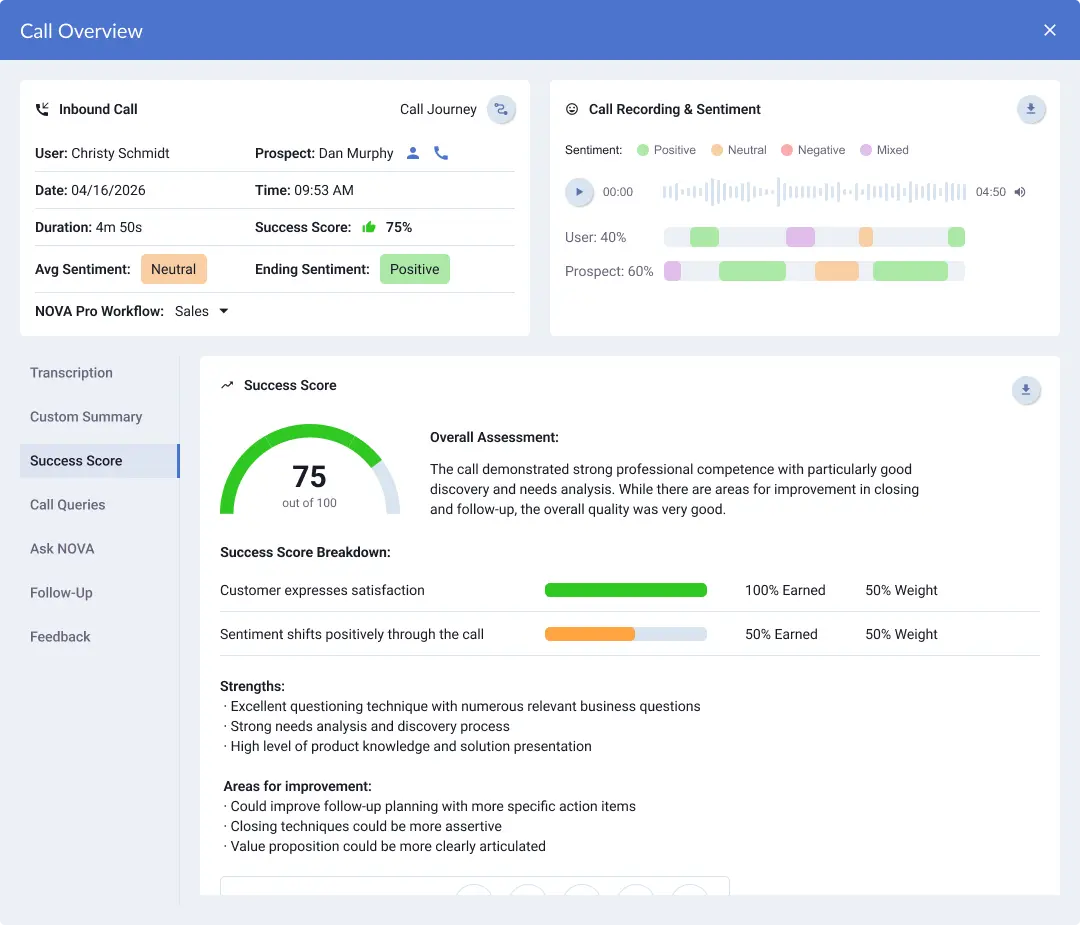
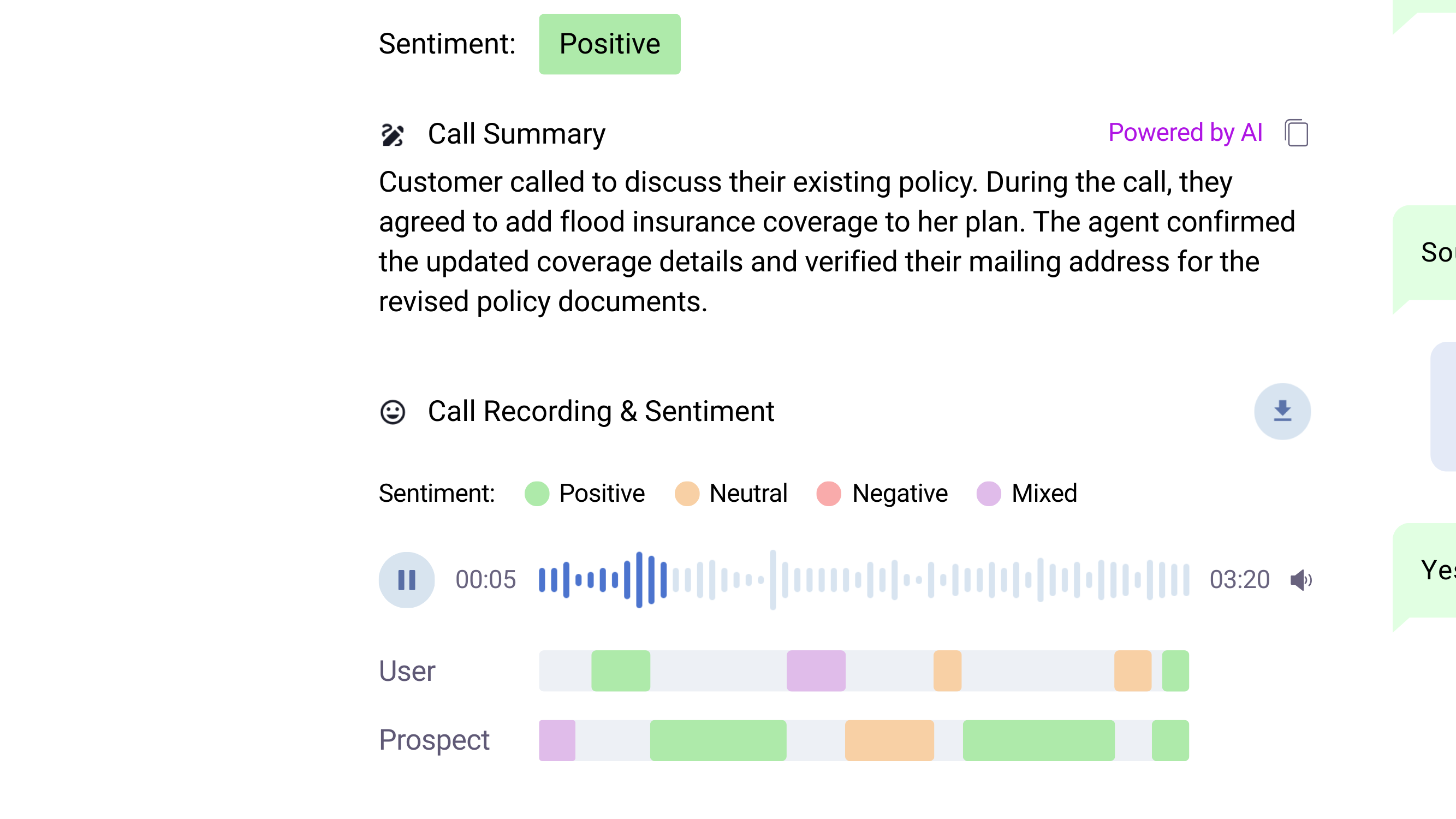
NOVA analyzes calls in Lightspeed Voice and syncs summaries and sentiment insights to Xanatek when the corresponding triggers are enabled. Your team can quickly review what was discussed and gain context for the next conversation.


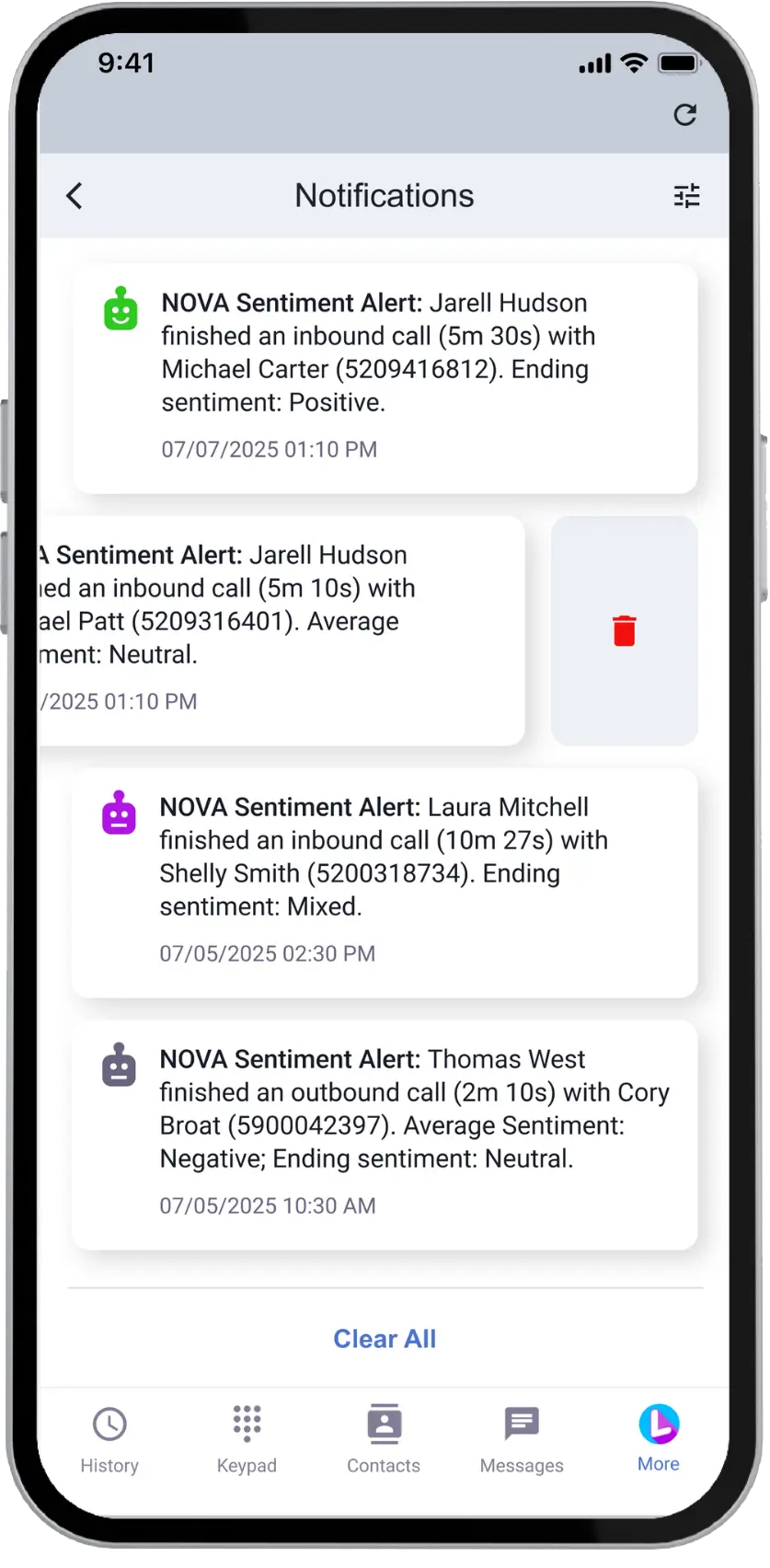
Stay Ahead with Sentiment Insights
Spot risks, capture opportunities, and strengthen relationships with NOVA AI.

See Who Needs
Follow Up
Know which calls may require attention at a glance

Know When Clients
Are Frustrated
Get alerts when tone and language signal concern
Find Call Details in Xanatek's Communications Tab
After a call, open the client's contact page and select Communications to review call information and access the recording link. With NOVA and the relevant triggers enabled, synced summaries and sentiment provide additional context.

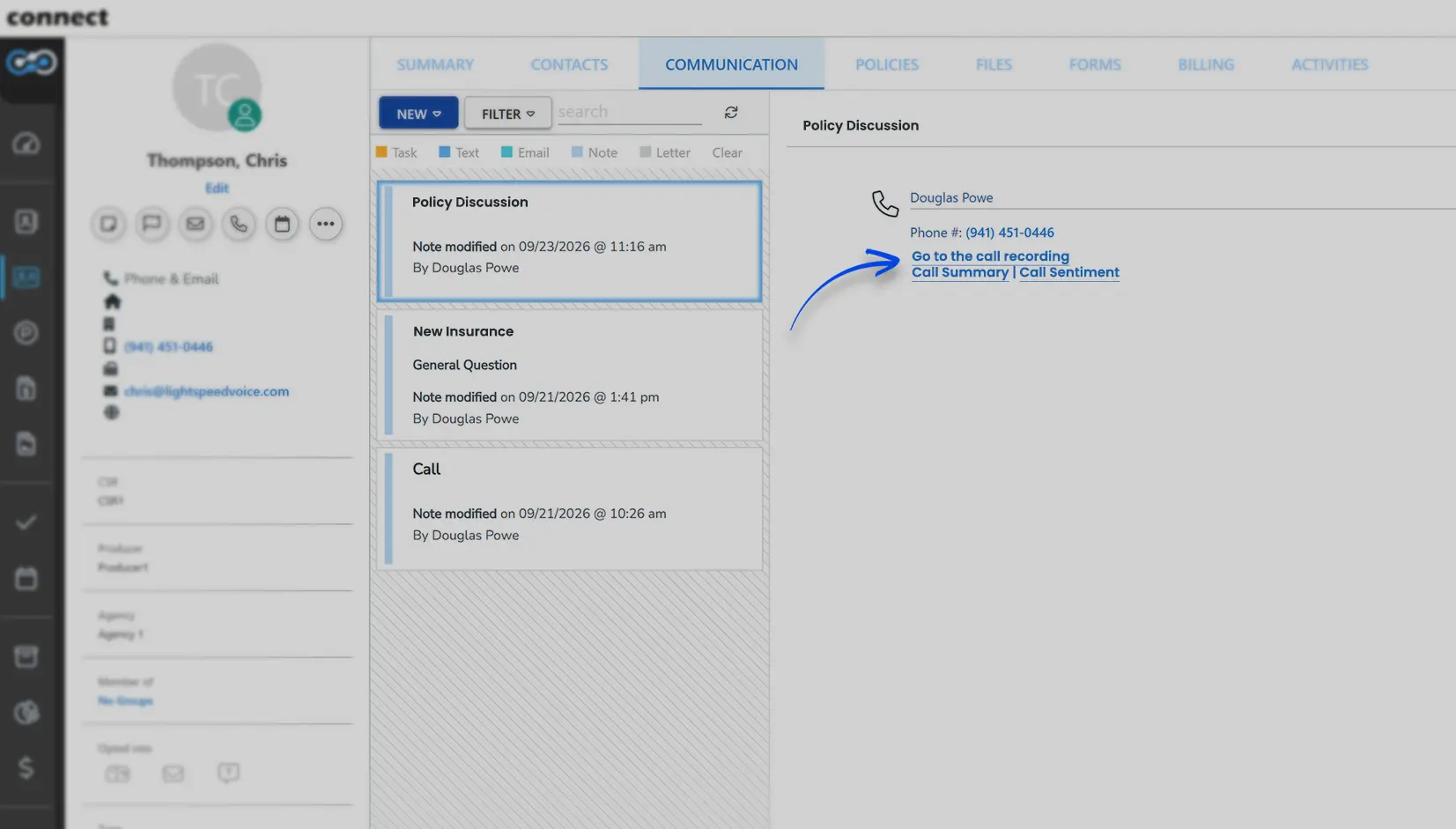
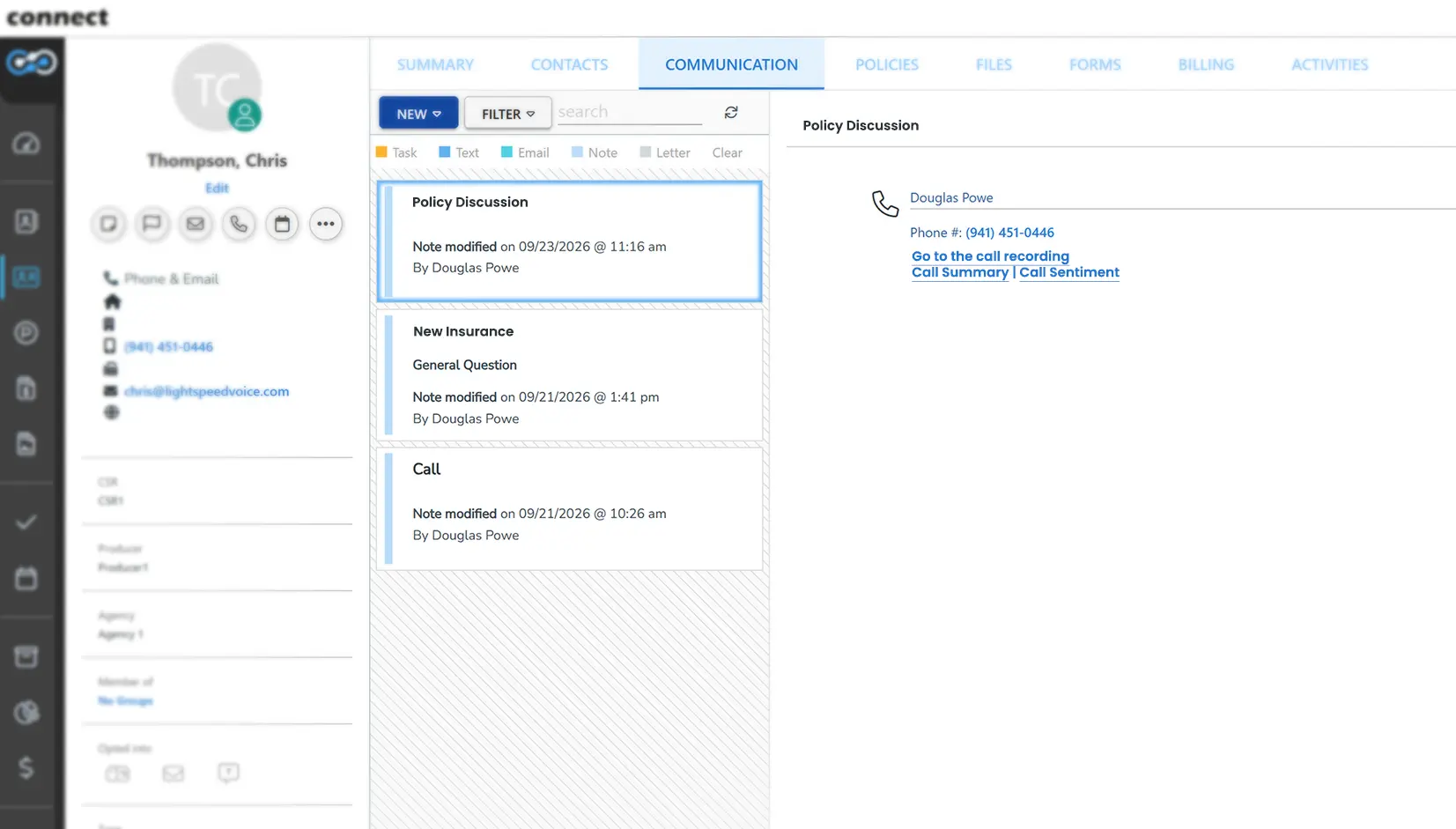
- Review key call details
- Access the call recording through a link
- Find synced NOVA summaries and sentiment insights
Why Agencies Choose Lightspeed Voice
Fast, reliable communication and automation built for insurance workflows.

#1 Rated Phone Service
Reliable performance and clear call quality that keeps your agency moving without downtime.

Award-Winning NOVA AI
Real-time transcription, summaries, and sentiment insights that help your team follow up faster and work smarter.

98% Customer Satisfaction
Responsive support from people who know agency operations and fix issues the moment they appear.

4.9 Star Google Rating
Proven trust across thousands of users who rely on Lightspeed every day.
FAQs
Common Questions About Xanatek + Lightspeed Voice
How does Lightspeed Voice integrate with Xanatek?
Lightspeed Voice connects your phone system with Xanatek to provide inbound and outbound call pop-ups, call documentation, call details, and recording links. Agencies using NOVA can also sync AI-generated call summaries and sentiment insights when the appropriate integration triggers are enabled.
Does the Xanatek integration log calls automatically?
The Xanatek workflow includes manual steps. Agents use the call pop-up to start a call note, enter information, and click Save. The integration also makes call details and recording links available through the contact's Communications tab.
Can AI call summaries and sentiment sync to Xanatek?
Yes. With NOVA enabled, Lightspeed Voice can sync AI-generated call summaries and sentiment insights to Xanatek. Enable the corresponding triggers in your integration settings to send this information.
Where can I find call details and recordings in Xanatek?
Open the caller's contact page and select the Communications tab to view call details and access a link to the recording.
Does the integration support inbound and outbound call pop-ups?
Yes. The Lightspeed Voice integration provides call pop-ups for both inbound and outbound calls in Xanatek, displaying caller information and an option to start a call note.
How do I set up the Xanatek integration?
In the Lightspeed Voice platform, go to Management, Lead Settings, and Integrations. Create a new integration, select Xanatek as the vendor, assign users, and authenticate using your Xanatek credentials. Then enable the triggers for the information you want to sync.
See the Xanatek Integration in Action
Explore how Lightspeed Voice connects call pop-ups, call documentation, and NOVA AI insights with your Xanatek workflow.

Oops! Something went wrong while submitting the form.


