Lightspeed Voice Support and Customer Help Center

Our support team is always available to help with any communication challenges you may have. With Lightspeed Voice, you'll never feel stranded.

Luck the robot with shapes behind him holding  aphone.

Search the Support Library

Find articles, setup guides, troubleshooting tips, and answers by keyword. Start typing to instantly narrow the results.
Thank you! Your submission has been received!
Oops! Something went wrong while submitting the form.
Software as a Service (Saas)

With the SaaS model, the software is no longer purchased and installed at your location. It is a service another entity provides, and you pay a monthly or yearly recurring fee. Costs are fixed, there is less risk, and there is little or no need to staff an IT department to ensure it is up and running and secure. New features are made available without your needing to do anything but adapt and start using them.

S
Software-Defined WAN (SD-WAN)

A software-defined vast area network uses software-based management to eliminate the complexity of packet routing by understanding applications, their performance, and t, the policies placed. Bandwidth allocation can be prioritized to allocate dynamic path selection for critical applications, like voice and video.

S
The Campaign Registry (TCR)

The Campaign Registry addresses the growing concern over unsolicited text messages and the potential harm they can cause consumers. The Campaign Registry is in place to help businesses comply with the new regulations. Lightspeed Voice provides guidance and resources to help companies comply with these regulations to avoid penalties for non-compliance

T
Toll Free Number (TFN)

In North America, toll-free numbers include 833, 844, 855, 866, 877, and 888. Unlike long-distance calls, where the caller is usually responsible for payment, toll-free calls are charged to the person who receives the call.

T
ULC (Underlying Carrier)

Telecommunications involves carriers passing traffic between each other. When you port a number from one carrier to another, the original number is still with the original carrier. However, the routing table is updated to direct calls to the new carrier. Although you may have VoIP service with us, we use multiple ULCs to pass voice traffic between VoIP providers.

U
Unified Communications as a Service (UCAAS)

A “as a service” category in which a cloud PBX service delivers unified communications.

U
Uptime

Uptime is a metric used to measure the overall performance of your service provider. It is a percentage showing how long the service is up and running, and the higher the number, the better it is for you.

U
Virtual Phone Number

A VoIP phone number for a different location than where the user or company resides. For instance, it could be a local telephone number from another state or country. Calls made to the number from that area are treated as local calls, and the calls are routed to the user’s primary VoIP phone number.

V
Acumatica

ERP & Business Management

Cloud ERP that unifies financials, CRM, projects, and operations for growing businesses.

Supported Triggers

• Call data on hangup (outbound) • Text sent • Text received • Email sent • Email received • Note created • Fax Sent • Fax Received • Abandoned Calls

A

Acumatica Feature

Acumatica Integration

Agency Matrix

Insurance CRM, Marketing & Sales Automation

Reduce manual work with automated call logging and cleaner communication trails.

Supported Triggers

• Text sent • Text received • 2 way calling

A
AgencyZoom

Insurance CRM, Marketing & Sales Automation

Enhance your sales and service workflows with synced call activity, automated updates, and true account history.

Supported Triggers

Call data on hangup (outbound), Text sent, Text received, Email sent, Email received, Note created, Abandoned Calls, 2 way calling, 2 way texting (inbound)

A
AMS360

Insurance AMS Platforms

Connect calls, notes, and activities to the right account, helping teams reduce manual entry and speed up follow-ups.

Supported Triggers

• Call data on hangup (outbound) • Text sent • Text received • Email sent • Email received • Note created • Abandoned Calls

A

AMS360 Feature

AMS360 Integration

Applied Epic

Insurance AMS Platforms

Sync call details, summaries, recordings, and tasks directly into the client record to keep every interaction organized.

Supported Triggers

• Call data on hangup (outbound) • Note created

A

Applied Epic Feature

Applied Epic Integration

Blitz Sales Software

Insurance CRM, Marketing & Sales Automation

Keep sales activity visible with call updates and organized client conversation tracking.

Supported Triggers

• Abandoned Calls

B
BlueC

Insurance CRM, Marketing & Sales Automation

Call guidance and activity-logging solution built for agencies that integrates with AMS platforms.

Supported Triggers

• Prospect created • Prospect deleted • Prospect updated

B

blueButler Feature

blueButler Integration

ClientCircle

Insurance CRM, Marketing & Sales Automation

Marketing and relationship platform for agencies, covering campaigns, reviews, and client touchpoints.

Supported Triggers

• Text sent • Text received • 2 way texting (inbound)

C

ClientCircle Feature

ClientCircle Integration

EZLynx

Insurance AMS Platforms

Support smoother operations with synced call activity and reliable conversation history inside EZLynx.

Supported Triggers

• Call data on hangup (outbound) • Text sent • Text received • Email sent • Email received • Note created • Abandoned Calls

E

EZLynx Feature

EZLynx Integration

Hubspot

General Business, Productivity & Automation

CRM and marketing suite for sales, marketing, and service teams.

Supported Triggers

• Call data on hangup (outbound) • Text sent • Text received • Email sent • Email received • Note created • Abandoned Calls

H

HubSpot Feature

HubSpot Integration

InsuredMine

Insurance CRM, Marketing & Sales Automation

Insurance-specific CRM and engagement platform for pipelines, automation, and retention campaigns.

Supported Triggers

• Call data on hangup (outbound) • Text sent • Text received • Email sent • Email received • Note created • Abandoned Calls

I

InsuredMine Feature

InsuredMine Integration

Momentum AMP

Insurance AMS Platforms

Deliver clean, organized call records to Momentum and help your team move faster between accounts.

Supported Triggers

• Call data on hangup (outbound) • Text sent • Text received • Email sent • Email received • Note created • Abandoned Calls

M

Momentum Integration

Momentum Feature

QQ Catalyst

Insurance AMS Platforms

Keep client details complete with call logs, recordings, and automated summaries tied to each account.

Supported Triggers

• Call data on hangup (outbound) • Text sent • Text received • Email sent • Email received • Note created • Abandoned Calls

Q

QQCatalyst Feature

QQCatalyst Integration

Redtail

Financial Advisor CRM Platforms

Long-standing advisor CRM focused on compliant workflows and integration with planning tools.

Supported Triggers

• Call data on hangup (outbound) • Text sent • Text received • Email sent • Email received • Note created • Plan item sent • Plan applied • Plan completed • Plan item postponed • Plan postponed • Abandoned Calls

R

Redtail Feature

Redtail Integration

Salesforce

General Business, Productivity & Automation

Enterprise CRM platform with deep customization and integration options.

Supported Triggers

• Call data on hangup (outbound) • Text sent • Text received • Email sent • Email received • Note created • Abandoned Calls

S

Salesforce Feature

Salesforce Integration

Shape

Insurance CRM, Marketing & Sales Automation

Enhance pipeline management with synced call activity and cleaner lead follow-up.

Supported Triggers

• Call data on hangup (outbound) • 2 way calling

S

Shape Feature

Shape Integration

Wealthbox

Financial Advisor CRM Platforms

Advisor CRM that streamlines client tracking, workflows, and day-to-day tasks.

Supported Triggers

• Call data on hangup (outbound) • Text sent • Text received • Email sent • Email received • Note created • Abandoned Calls

W
Xanatek

Insurance AMS Platforms

Management system used by insurance agencies to organize policy, client, and workflow data.

Supported Triggers

• Call data on hangup (outbound)

X

Xanatek Feature

Xanatek Integration

Zapier

General Business, Productivity & Automation

Automation hub that connects apps and passes data between systems.

Supported Triggers

• Call data on hangup (outbound) • Text sent • Text received • Email sent • Email received • Note created • Abandoned Calls

Z
Zoho CRM

Insurance CRM, Marketing & Sales Automation

A cloud-based CRM platform used to manage sales, customer interactions, and automated workflows.

Supported Triggers

• Call data on hangup (outbound) • Text sent • Text received • Email sent • Email received • Note created • Abandoned Calls

Z

ZohoCRM Feature

ZohoCRM Integration

Zoiper

Telephony & Devices

A cross-platform VoIP softphone that enables calling and messaging through software instead of a desk phone.

Supported Triggers

• Call data on hangup (outbound)

Z
Call Recording Setup

Trending Topic

Enable and manage call recording for your team

View Support Article >

C
Connect

Product

VoIP-only service for basic calling needs

View Support Article >

C
Downloads

Article

Apps, manuals, and setup guides

View Support Article >

D
Downloads Center

Resource

Apps and resources

View Support Article >

D
How does NOVA AI work?

FAQ

AI-powered call insights explained

View Support Article >

H
How do I add users to my account?

FAQ

Grow your team

View Support Article >

H
How do I configure call forwarding?

FAQ

Route calls to any device

View Support Article >

H
How do I set up my CRM integration?

FAQ

Connect your CRM in minutes

View Support Article >

H
Integrations

Product

CRM and third-party connections

View Support Article >

I
Lightspeed Voice

Product

Complete business phone solution with integrations

View Support Article >

L
Live Support

Resource

Chat or call with our team

View Support Article >

L
NOVA

Product

AI-powered call insights and automation

View Support Article >

N
NOVA AI Features

Article

Call transcription and AI-powered summaries

View Support Article >

N
NOVA AI Setup

Trending Topic

Get up and running with AI call insights

View Support Article >

N
Orbit Apps

Product

Desktop and mobile calling explained

View Support Article >

O
Phone Configuration

Article

Set up desk phones and mobile calling

View Support Article >

P
Setting Up Integrations

Article

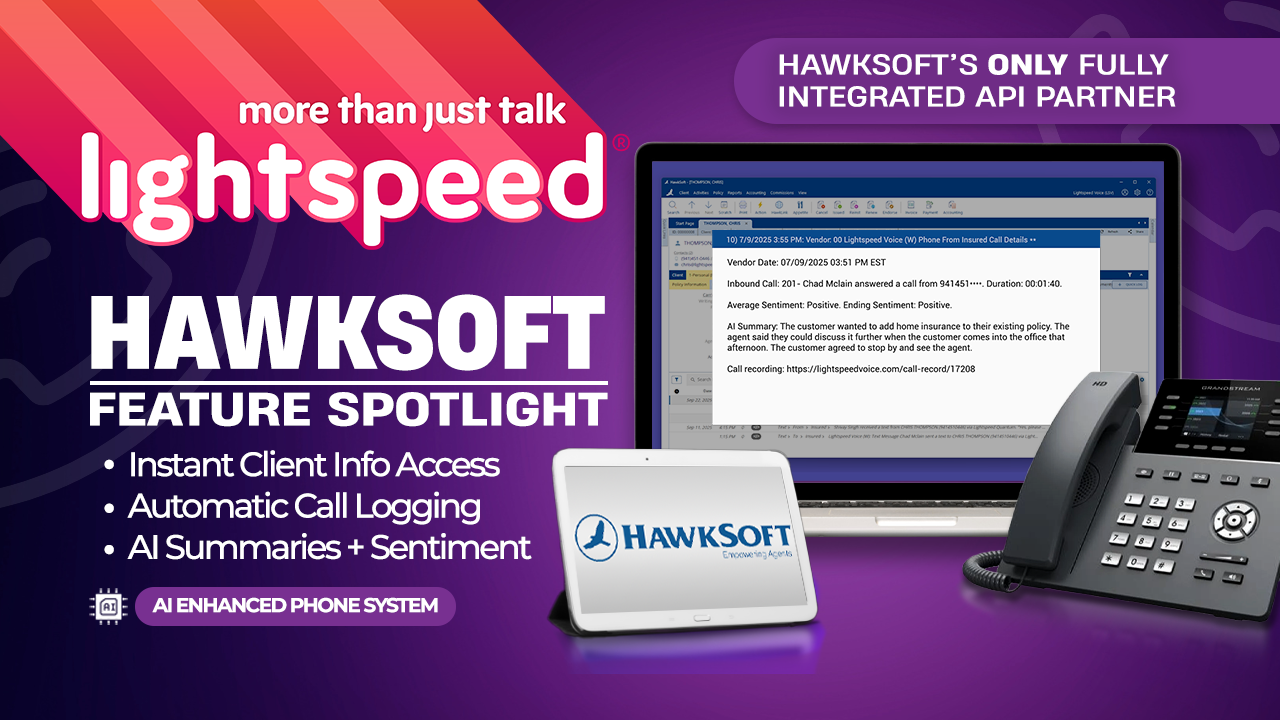
Connect HawkSoft, AMS360, and other CRM systems

View Support Article >

S
System Status

Resource

Check service uptime and incidents

View Support Article >

S
Technical Requirements

Article

Network setup and system specifications

View Support Article >

T
Training Videos

Resource

Step-by-step video tutorials

View Support Article >

T
What phones are supported?

FAQ

Compatible desk phones and apps

View Support Article >

W

Downloads

Get the Orbit app on any device — desktop, iPhone, or Android
Mockup

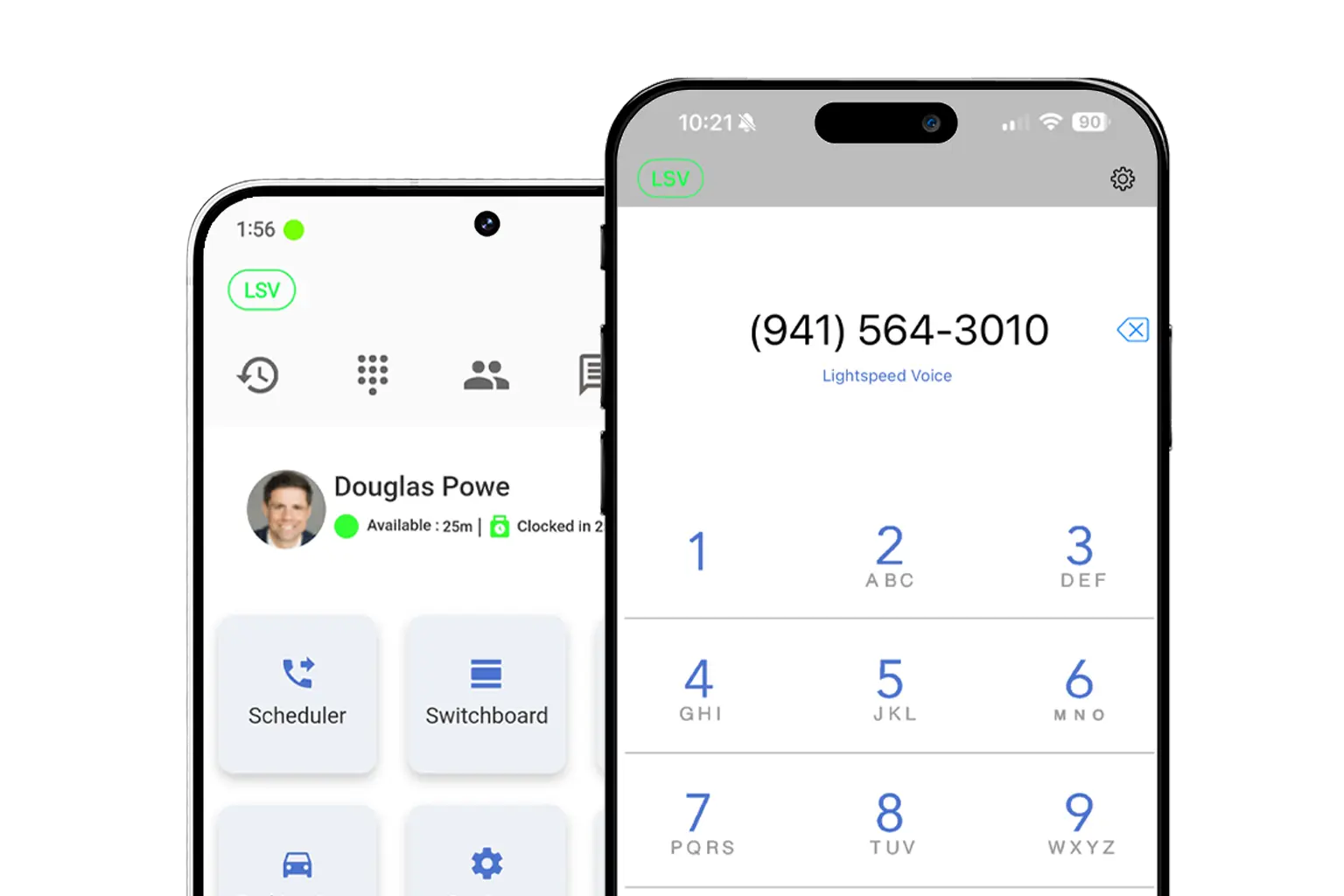
Download LS Orbit for Mobile

Stay connected on the go with the LS Orbit Mobile App for calls, messaging, and real-time tools wherever you work.
Get it on google play badge
Down on the App Store badge
Mockup

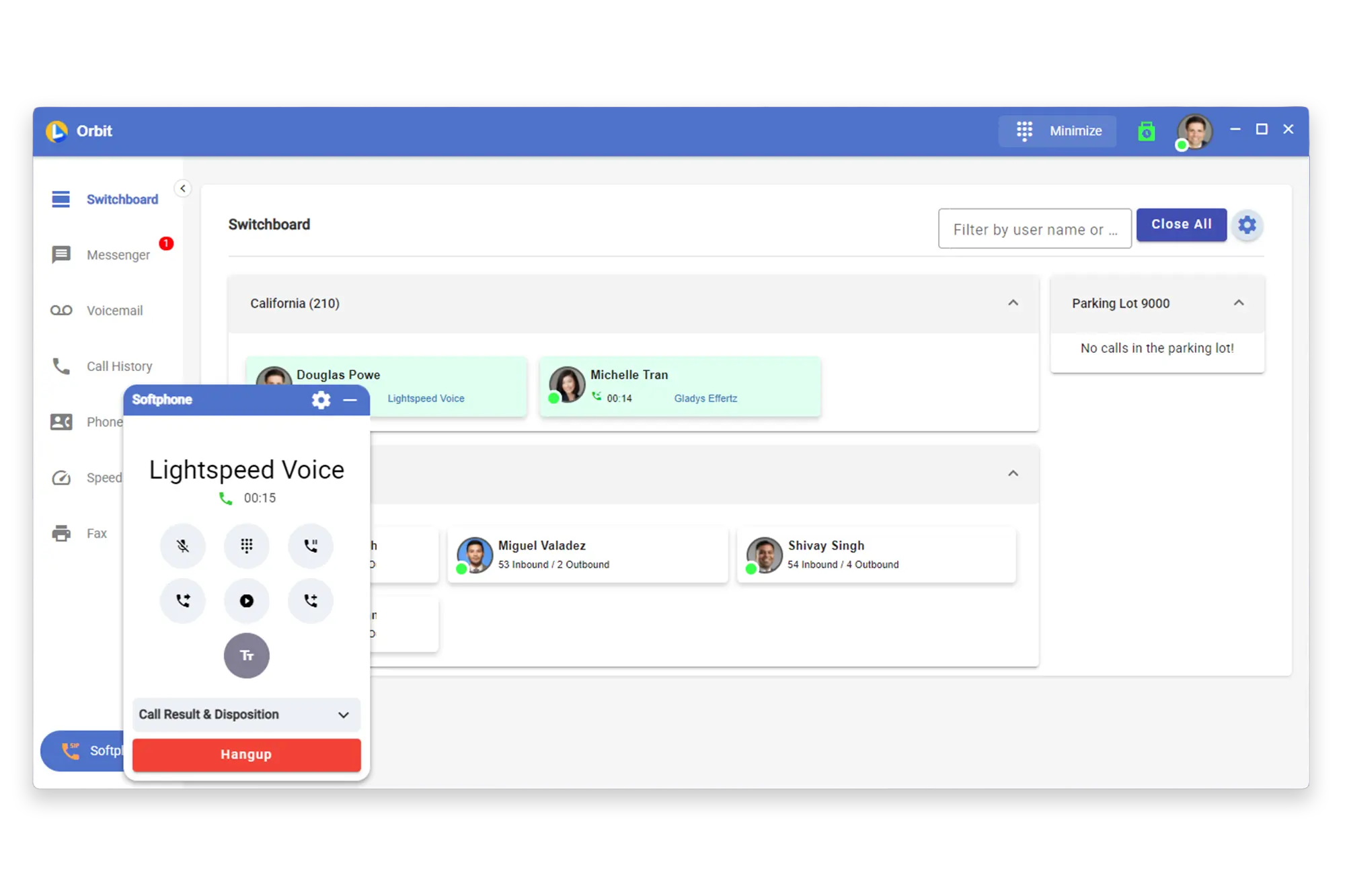
Download Orbit for Desktop

Stay connected with the softphone and sync data between Lightspeed Voice and your software.

Need a hand?

Click below to talk with live support.

You've got questions.
We've got videos!

Learn the essentials of using Lightspeed Voice's Quantum, Connect and Automate.

Integrations How-to

Frequently Asked Questions

Quick answers to common questions

How do I set up my CRM integration?

Connect your HawkSoft, AMS360, or other CRM through the Orbit desktop app under Settings > Integrations. Supports auto call logging, NOVA AI summaries, and contact sync.

How do I configure call forwarding?

Set up unconditional, busy, no-answer, or time-based forwarding rules in your user portal under Call Settings. Forward to mobile, another extension, or voicemail.

How does NOVA AI work?

NOVA transcribes every call in real time, generates a plain-language summary, identifies action items, and syncs everything to your CRM automatically.

How do I add users to my account?

Go to Admin Panel > User Management and click + Add User. Assign a role (User, Supervisor, or Administrator), set an extension, and send a welcome email invite.

What phones are supported?

We support Grandstream (GRP/GXP series), Yealink (T3x/T4x/T5x), and Poly (VVX/Trio) desk phones, plus the Orbit desktop app for Windows/macOS and mobile app for iOS/Android.

Want some 1-on-1 time with our Sales Team?

Schedule a free product demo and learn what Quantum can do for you!